
Removing and installing battery
- Make
- Volkswagen
- Model
- Golf Plus
- Year
- 2005–2014
- Section
- Removing and installing battery › Removing and installing battery
Electrical systemRemoving and installing battery
Removing and installing battery
Special tools and workshop equipment requiredTorque wrench V.A.G 1331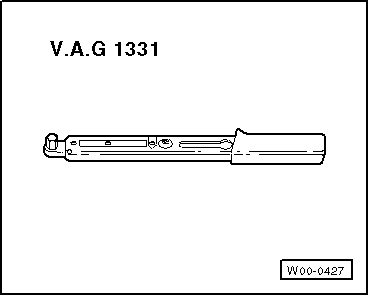
Disconnect battery → Chapter.
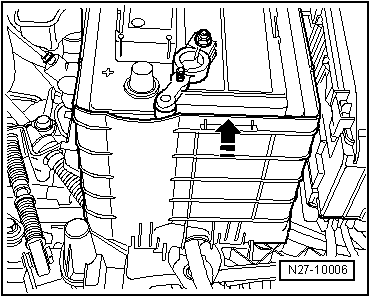
Depending on equipment, pull either panel of battery housing or felt bag upwards in direction of (arrow) out of battery.
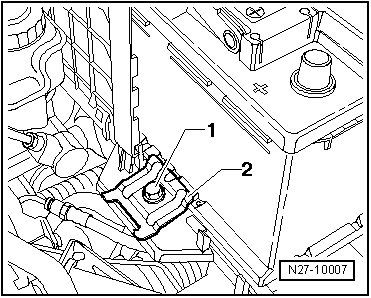
Unscrew securing bolt (1) and remove securing bracket (2).
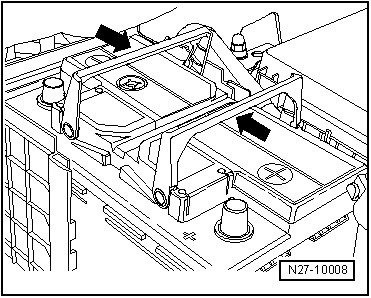
Fold up handles (arrows) (if fitted) upwards and remove battery.
Warning A loosely fitted battery creates the following dangers:
- Shortened service life due to damage from vibration (danger of explosion)
- The cells in the battery will be damaged if the battery is not secured correctly.
- Damage to battery housing by securing bracket (possibility of acid leaking, with high consequential costs)
- Poor crash safety
Installation is carried out in the reverse order. When installing observe the following:
Tighten threaded connections to torques specified in assembly overview → Chapter.
After installing, check that battery is seated securely.
Reconnect battery → Chapter.
Parts & tools for this job For 2005 Volkswagen Golf
- TOOLBattery testerSearch: car battery tester
- TOOLDigital multimeterSearch: automotive digital multimeter
- TOOLBattery terminal cleanerSearch: battery terminal cleaner
As an Amazon Associate we earn from qualifying purchases.