
Removing and installing mounting bracket
- Make
- Volkswagen
- Model
- Golf Plus
- Year
- 2005–2014
- Section
- Steering column, Golf › Removing and installing mounting bracket
Removing and installing mounting bracket
Special tools and workshop equipment requiredTorque wrench V.A.G 1331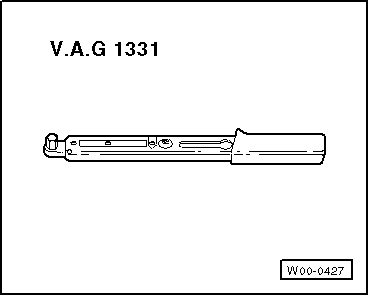
Remove steering column → Chapter.
Remove dash panel insert Electrical systemRep. gr.90Dash panel insert; Removing and installing dash panel insert.
Remove bolts (arrows) under bracket.
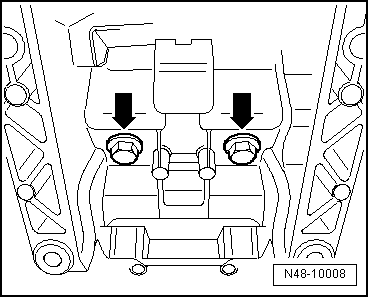
Push connector (1) in (direction of arrow) and remove from support in mounting bracket.
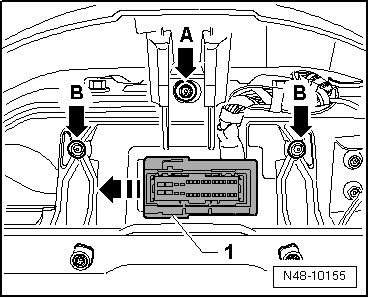
Unscrew bolt (arrow A).
Remove bolts (arrows B) securing bracket to body.
Note
- Bolts (arrows B) are screwed in from cross member.
Unscrew bolts (1) and (2) and remove mounting bracket from body.
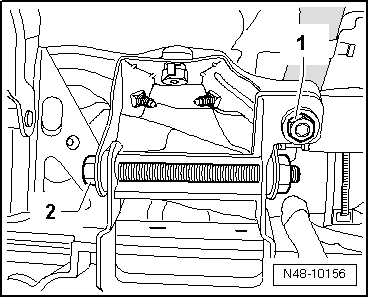
Insert mounting bracket and screw in bolts (1) and (2).
Install bolts (arrows B).
Note
- Bolts (arrows B) are screwed in from cross member.
Screw in bolt (arrow A).
Insert connector (1) into support in mounting bracket and push to stop opposite (direction of arrow).
Install bolts (arrows) under bracket.
Install steering column → Chapter.
Install dash panel insert Electrical systemRep. gr.90Dash panel insert; Removing and installing dash panel insert.
Perform basic settings for steering angle sensor G85 using vehicle diagnosis, testing and information system VAS 5051B.
| Component | Specified torque |
|---|---|
| Mounting bracket to body | 20 Nm |
| Strut to mounting bracket | 20 Nm |
| Steering column to mounting bracket | 20 Nm |
Parts & tools for this job For 2005 Volkswagen Golf
- TOOLTie rod end toolSearch: tie rod end puller
- TOOLBall joint separatorSearch: ball joint separator
- FLUIDPower steering fluidSearch: Volkswagen power steering fluid
As an Amazon Associate we earn from qualifying purchases.