
Removing and installing mounting bracket, left-hand drive
- Make
- Volkswagen
- Model
- Jetta Mk6
- Year
- 2011–2018
- Section
- Brake pedal › Removing and installing mounting bracket, left-hand drive
Removing and installing mounting bracket, left-hand drive
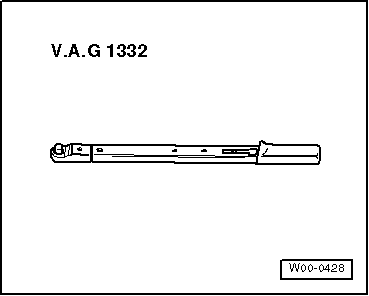
Special tools and workshop equipment requiredTorque wrench V.A.G 1331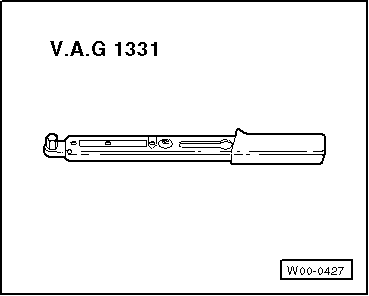
If fitted, remove dash panel trim in driver footwell General body repairs, interiorRep. gr.70Trims, interior; Overview of fitting locations - trims, interior.
Remove footwell vent on driver side Heating, air conditioning systemRep. gr.80Air duct; Assembly overview - air duct and air distribution in passenger compartment.
If fitted, remove crash bars (2)Running gear, axles, steeringRep. gr.48Steering column; Assembly overview - steering column.
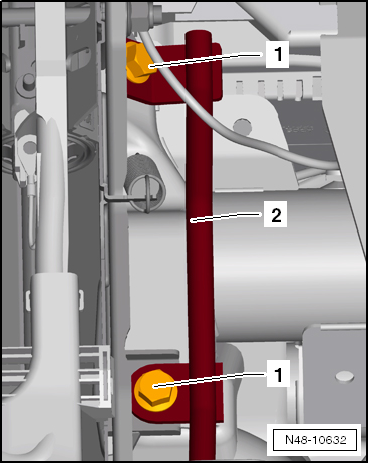
To do this, unscrew right bolts (1) and remove crash bar for brake pedal (2).
If fitted, remove knee airbag General body repairs, interiorRep. gr.69Knee airbags; Removing and installing knee airbag with igniter.
Separate brake pedal from brake servo → Chapter.
Remove threaded connection (arrows) for brake pedal (1) on mounting bracket.
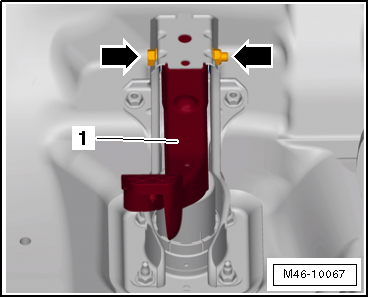
Remove brake pedal.
Remove threaded connections (1) between brake servo and mounting bracket.
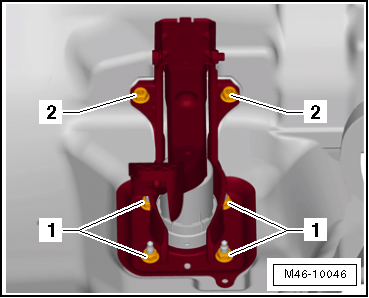
Remove threaded connections (2) between bulkhead and mounting bracket.
Remove mounting bracket together with pedal cluster.
Install in reverse order. Note the following points:
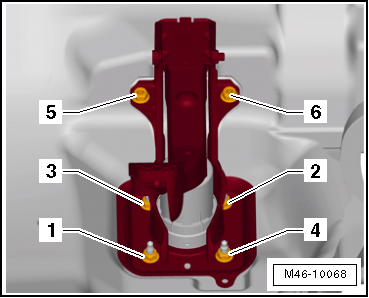
Tighten nuts (1) to (6) in the sequence shown.
Clip brake pedal to brake servo → Chapter.
- Chapter“Assembly overview - brake pedal”
- Mounting bracket to brake servo Running gear, axles, steeringRep. gr.48Steering column; Assembly overview - steering column.
Parts & tools for this job For 2011 Volkswagen Jetta
- PARTBrake padsSearch: Volkswagen Jetta 2011 brake pads
- TOOLBrake bleeder kitSearch: one man brake bleeder kit
- FLUIDBrake fluidSearch: brake fluid
As an Amazon Associate we earn from qualifying purchases.