volkswagen Workshop Repair Guides

Volkswagen Workshop Service and Repair Manuals

Torque settings for steering system > < Checking left and right-hand wheel lock
Connecting VAS 5051 A and selecting functions
Connecting -VAS 5051 A- and selecting functions
Special tools and workshop equipment required
   
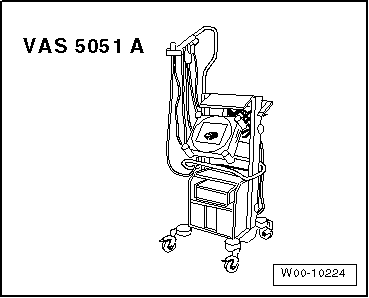
t  Vehicle diagnosis, testing and information system -VAS 5051 A-
t  Diagnosis cable -VAS 5051/5A- or
t  Diagnosis cable -VAS 5051/6A-
  WARNING
t  During a road test, you must always secure testing and measuring equipment on the back seat.
t  These devices may be operated only by a passenger while the vehicle is in motion.
  W00-10224
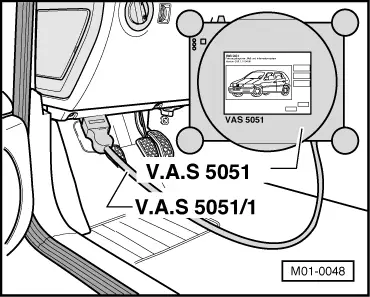
–  Remove cover -1- for diagnostic connection.
–  With ignition switched off, connect vehicle diagnostic, testing and information system -VAS 5051 A- to diagnostic connection with diagnosis cable -VAS 5051/5A- or diagnosis cable -VAS 5051/6A-.
  M01-0048
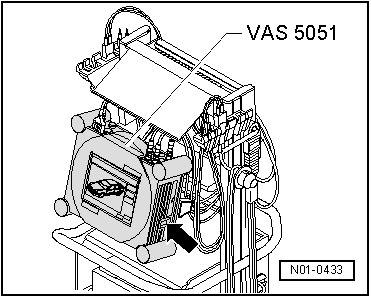
–  Switch on vehicle diagnostic, testing and information system -VAS 5051 A--arrow-.
The vehicle diagnostic, testing and information system -VAS 5051 A- is ready for operation when a picture (photograph) of a vehicle appears on the screen.
–  Switch on ignition.
–  Touch Guided Fault Finding on screen.
–  Select one after another:
t  Brand
t  Type
t  Model year
t  Body version
t  Engine code
–  Confirm data entered.
Wait until tester has interrogated all control units in vehicle.
–  Press Go to and select function “Function/component selection”.
Now follow the instructions on the screen to start the desired functions.
  N01-0433

Torque settings for steering system > < Checking left and right-hand wheel lock