
Removing and installing mounting bracket, LHD
- Make
- Volkswagen
- Model
- Passat B7
- Year
- 2010–2015
- Section
- Brake pedal › Removing and installing mounting bracket, LHD
Removing and installing mounting bracket, LHD
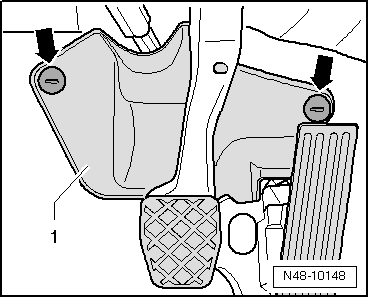
Remove driver side footwell cover General body repairs, interiorRep. gr.68Compartments/covers; Removing and installing dash panel end trim on driver side.
Unscrew securing nuts (arrows) and remove footwell trim (1).
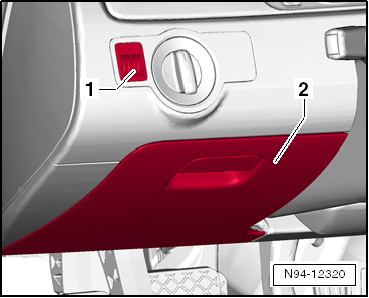
Open cover (2) and remove.
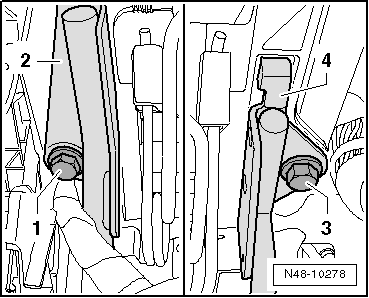
Remove brake pedal crash bar (4)Running gear, axles, steeringRep. gr.48Steering column; Assembly overview - steering column.
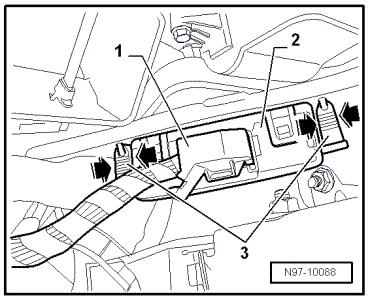
Remove data bus diagnostic interface (gateway) (2)Electrical systemRep. gr.97Control units; Removing and installing data bus diagnostic interface.
Separate brake pedal from brake servo → Chapter.
Push insulation aside.
Unscrew nuts (1 and 2).
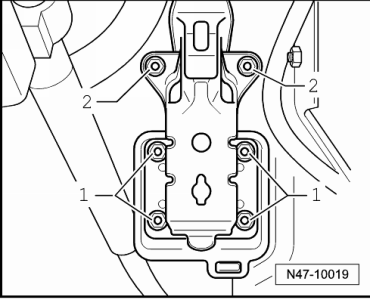
Carefully remove foot pedal cluster.
Install in reverse order. Note the following points:
Connect brake pedal to brake servo → Chapter.
| Component | Specified torque |
|---|---|
| Brake pedal to pedal clusterUse new nut | 25 Nm |
| Pedal cluster to plenum chamber bulkhead/brake servoUse new nuts | 25 Nm |
Parts & tools for this job For 2010 Volkswagen Passat
- PARTBrake padsSearch: Volkswagen Passat 2010 brake pads
- TOOLBrake bleeder kitSearch: one man brake bleeder kit
- FLUIDBrake fluidSearch: brake fluid
As an Amazon Associate we earn from qualifying purchases.