
Removing and installing parking brake motor V282/ V283
- Make
- Volkswagen
- Model
- Passat B8
- Year
- 2014–2023
- Section
- Handbrake › Removing and installing parking brake motor V282/ V283
Removing and installing parking brake motor V282/ V283
Special tools and workshop equipment requiredTorque wrench V.A.G 1331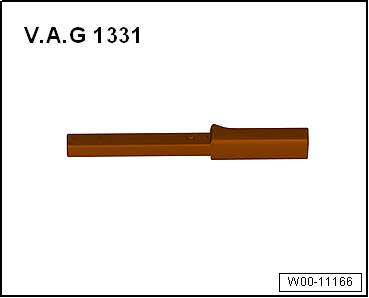
Note
- Switch off ignition for at least 30 seconds before disconnecting connector.
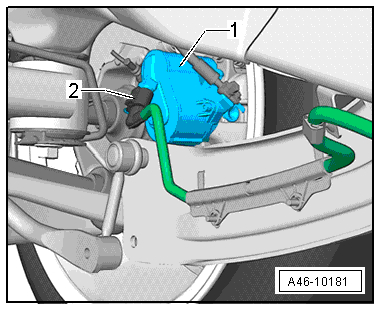
Disconnect connector (2) from parking brake motor (1).
Unscrew both hexagon socket head bolts (arrows) from parking brake motor.
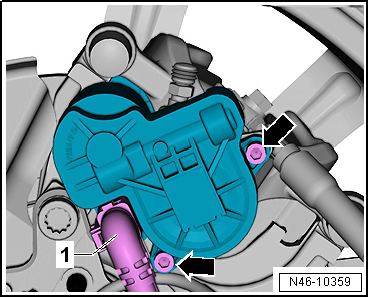
Pull parking brake motor off brake caliper while turning parking brake motor back and forth slightly.
Take out seal.
Note
- Take care not to damage annular groove for seal and contact surface on parking brake motor.
Clean annular groove and contact surface of parking brake motor.
Lightly grease new seal and install it, taking care not to twist or damage it.
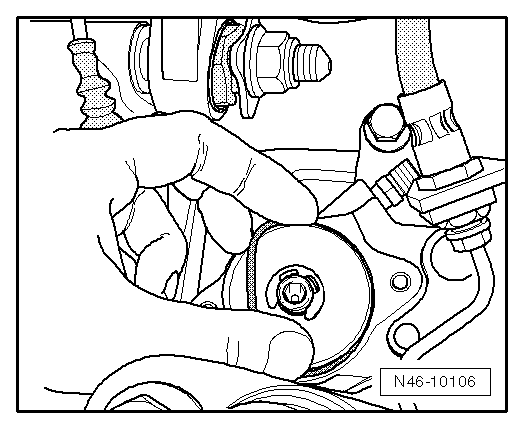
Grease Torx socket on input shaft of parking brake motor completely.
Note
- The sealing ring must not be allowed to turn out while the parking brake motor is being installed!
Carefully push parking brake motor onto brake caliper while ensuring that seal is seated correctly.
Note
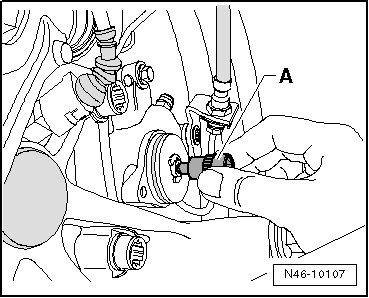
- If necessary, turn input shaft back slightly using an E11 Torx socket (A) until parking brake motor can be properly fitted.
Turn parking brake motor until bolt hole and thread align.
Note
- Make sure that parking brake motor is flush with brake caliper. Never pull parking brake motor onto brake caliper using securing bolts.
Position hexagon socket head bolts (arrows) by hand and tighten them.
Install connector (1).
Carry out basic setting of brake system using Vehicle diagnostic tester.
- Chapter“Overview of fitting locations - parking brake”
Parts & tools for this job For 2014 Volkswagen Passat
- PARTBrake padsSearch: Volkswagen Passat 2014 brake pads
- TOOLBrake bleeder kitSearch: one man brake bleeder kit
- FLUIDBrake fluidSearch: brake fluid
As an Amazon Associate we earn from qualifying purchases.