
Installing:
- Make
- Volkswagen
- Model
- Phaeton 3D
- Year
- 2002–2016
- Section
- Multi-media system (Rear Seat DVD), models 2012 » › Installing:
Installing:
Carry out installation in the reverse sequence observing the following.
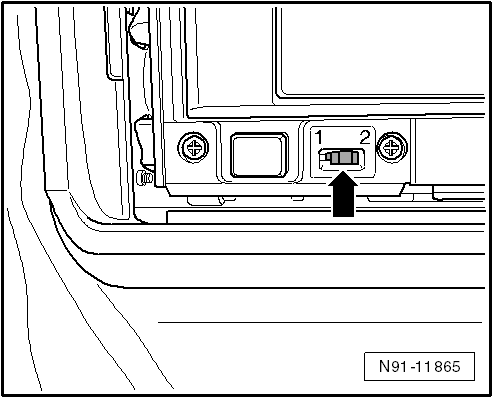
When installing a new rear DVD changer R162, set code switch (arrow) on the front of the unit to position “2”.
When reinstalling existing DVD changer R162, check position of code switch (arrow) on the front of the unit and set to position “2” if necessary.
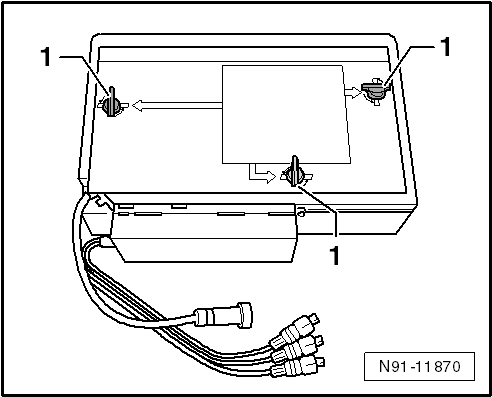
When installing a new rear DVD changer R162 remove transportation locks (1).
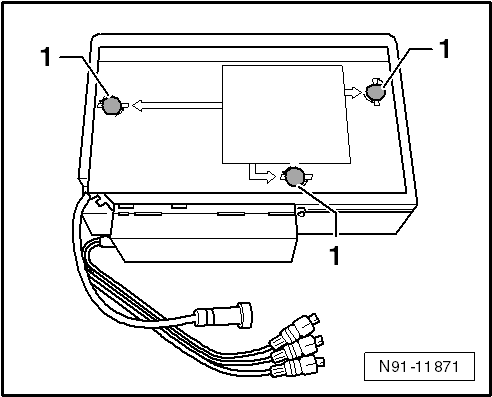
Seal holes for transport locks in DVD changer housing using supplied dust caps (1).
Before installing DVD changer to bracket adjust setting mechanism on side of unit to ensure it is set to correct installation position.
To do this, unclip cover (1) from unit.
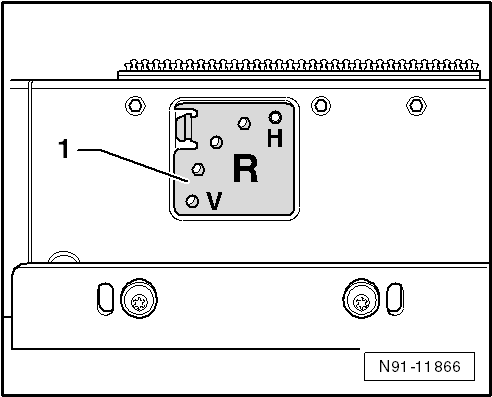
Set locking pin (arrow) to highest position for “horizontal” installation.
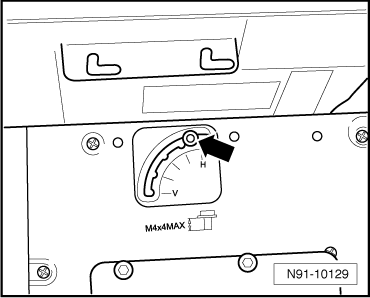
Clip in cover (1) into unit.
Secure threaded connections for fastening DVD changer to bracket with “Loctite”.
Correctly route wires for multimedia system module and secure to bracket with cable ties → Chapter.
Parts & tools for this job For 2002 Volkswagen Phaeton
- TOOLDigital multimeterSearch: automotive digital multimeter
- PARTAssorted fuse kitSearch: car fuse assortment kit
- TOOLWire crimper and connector kitSearch: wire crimper connector kit
As an Amazon Associate we earn from qualifying purchases.