
Removing and installing telephone bracket
- Make
- Volkswagen
- Model
- Phaeton 3D
- Year
- 2002–2016
- Section
- Telephone system › Removing and installing telephone bracket
Removing and installing telephone bracket
Note
- Depending on the telephone system version, the firmly installed handset with spiral cable is installed in the centre armrest, or brackets for a mobile telephone and a second wireless handset are fitted here.
Before beginning dismantling work, perform the following steps:
Switch off ignition and all electrical consumers and remove ignition key.
Open front armrest cover.
Remove handset with spiral cord.
Using an appropriate screwdriver lever insert with telephone holder out of armrest (arrow).
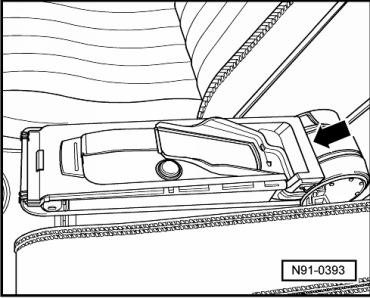
Note
- When the telephone holder is removed, the side parts of the armrest are no longer secure and can fall out. The operating buttons for the armrest cover are especially effected. This only affects vehicles with two separate centre armrests.
Installation is carried out in the reverse sequence of removal.
Before beginning dismantling work, perform the following steps:
Switch off ignition and all electrical consumers and remove ignition key.
Open front armrest cover.
Telephone holders for mobile telephone and second handset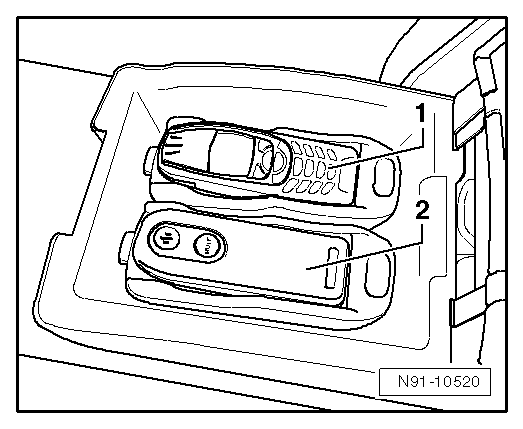
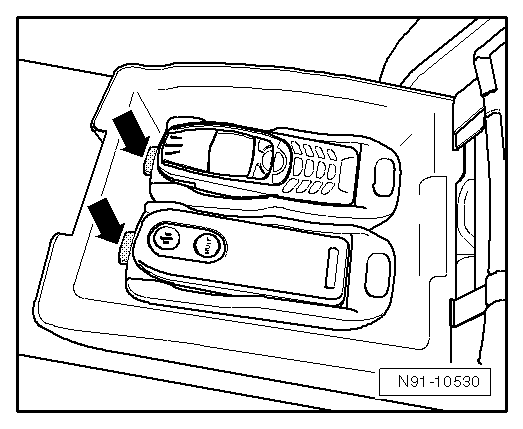
Actuate both buttons (arrows) on front of brackets and remove mobile telephone and second handset.
First remove right telephone holder by actuating button (arrow) on side of basic holder and then removing telephone holder.
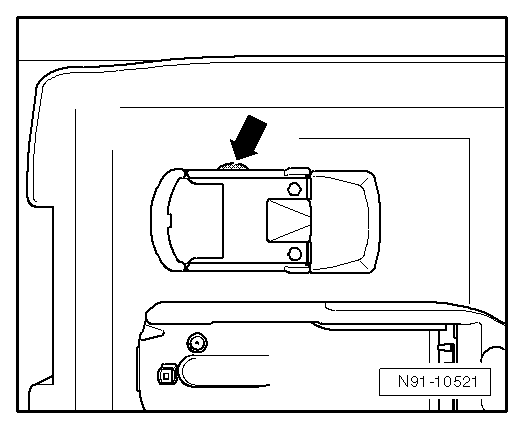
Note
- To show button on side more clearly, basic bracket is shown without telephone holder.
Remove telephone holder for second handset in exactly the same way.
In the case of both basic brackets, slide the spring-loaded lock in (direction of arrow) and unscrew the three bolts (A).
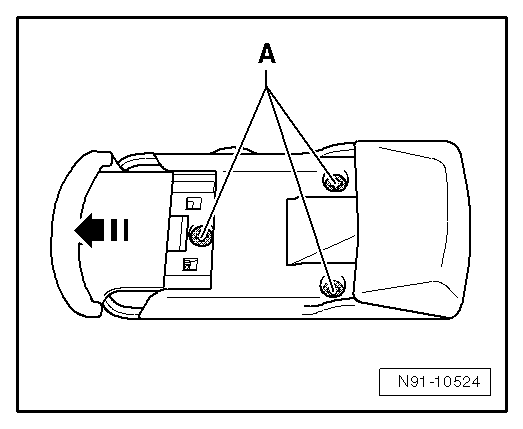
Note
- When installing, make sure the telephone brackets are positioned correctly. The parts of the telephone holder for the second handset are labelled “Privacy Handset only”. These must only be used for the second handset.
Telephone holder installation locations:
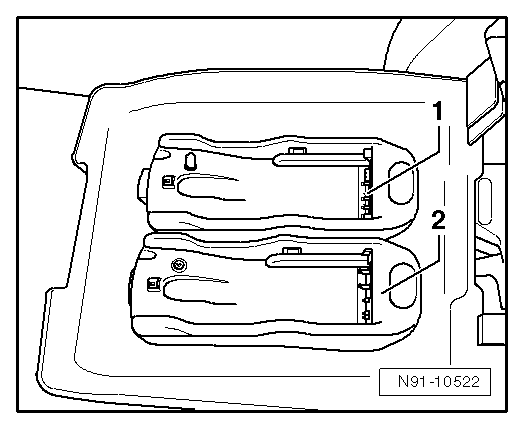
Further installation is carried out in reverse order!
If necessary, log the second handset onto the mobile telephone, adapting second handset to mobile telephone, Chapter.
Parts & tools for this job For 2002 Volkswagen Phaeton
- TOOLDigital multimeterSearch: automotive digital multimeter
- PARTAssorted fuse kitSearch: car fuse assortment kit
- TOOLWire crimper and connector kitSearch: wire crimper connector kit
As an Amazon Associate we earn from qualifying purchases.