
Removing and installing steering column switch
- Make
- Volkswagen
- Model
- Polo Mk4
- Section
- Steering column switch › Removing and installing steering column switch
Removing and installing steering column switch
Special tools and workshop equipment requiredTorque wrench V.A.G 1331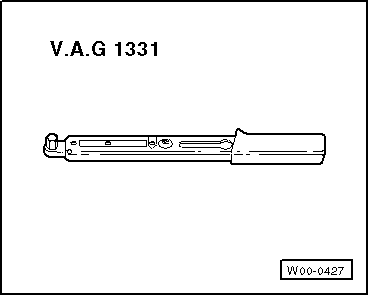
Note
- To disconnect and reconnect the battery, the procedure described in the workshop manual should be strictly adhered to → Chapter.
- If the vehicle has a security-coded radio, obtain the anti-theft code from customer before disconnecting the battery.
- When the battery is reconnected, remember to check the vehicle ancillaries (radio, clock, convenience electronics, electric window regulators, etc.) in accordance with the workshop manual and/or operating instructions.
Remove driver side airbag General body repairs, interiorRep. Gr.69Airbag.
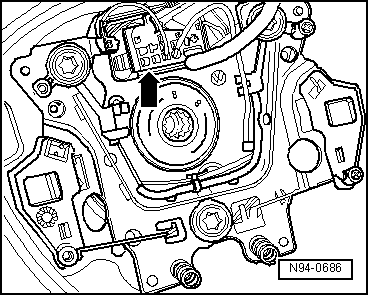
Separate multi-pin connector (arrow).
Remove multi-point socket head bolt in steering wheel.
Position steering wheel in central position (wheels straight ahead).
Pull steering wheel off steering column.
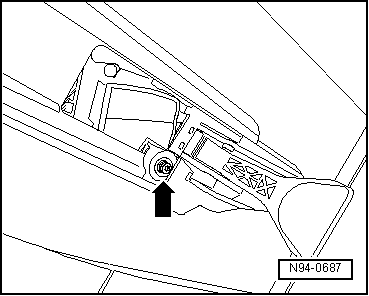
Remove bolt (arrow) in trim for steering column switch.
Remove securing bolts on inside of trim (see screwdrivers).
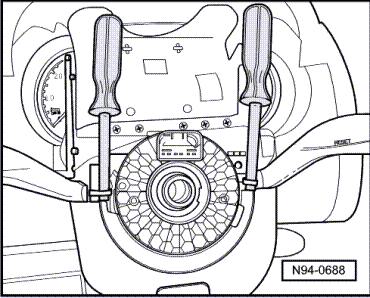
Remove lower part of steering column switch trim.
Fold upper part of steering column switch trim towards dash panel insert.
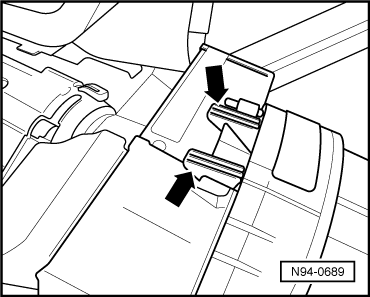
Release fasteners (arrows) and pull coil connector with slip ring off steering column switch.
Remove screw (arrow) from steering column switch.
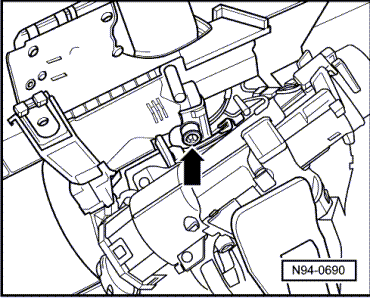
Pull steering column switch out of its contact housing and take it off.
Install in reverse order of removal.
Parts & tools for this job For Volkswagen Polo
- TOOLOBD2 scannerSearch: OBD2 scanner
- TOOLDigital multimeterSearch: automotive digital multimeter
- TOOLBack-probe test leadsSearch: back probe test leads
As an Amazon Associate we earn from qualifying purchases.