
Removing
- Make
- Volkswagen
- Model
- Tiguan Mk1
- Year
- 2007–2016
- Section
- Compartments, covers and trims › Removing
Removing
Switch off ignition.
If fitted, remove telephone bracket CommunicationRep. gr.91Telephone systems; Removing and installing telephone bracket.
Using removal wedge 3409, lever out map tray (1).
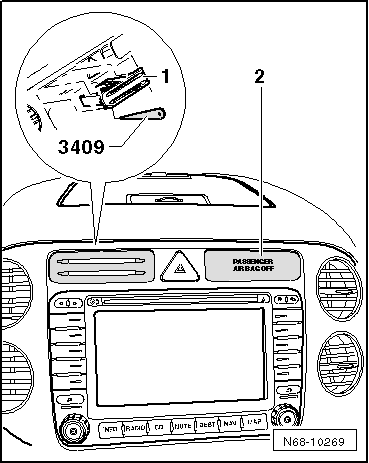
Remove front passenger side airbag deactivated warning lamp K145(2)Electrical systemRep. gr.96Lights and switches in dash panel; Removing and installing front passenger side airbag deactivated warning lamp K145.
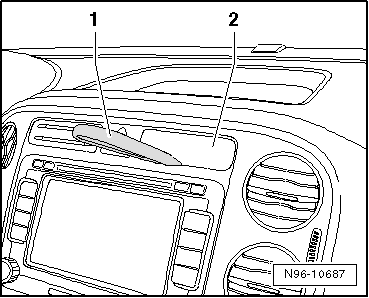
Insert removal wedge VAS 3409(1) at bottom in centre of blind cover (2).
Hit removal wedge VAS 3409 with the palm of your hand to release blind cover.
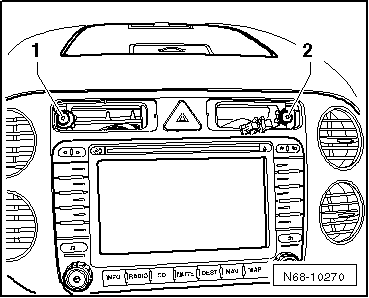
Unscrew screws (1) and (2) (1.5 Nm).
For greater clarity, trim panel is shown as removed.
During the following tasks, the clips (1) and (2) on the right side of the panel trim must be operated.
The clips (3) and (4) on the left-hand side must be operated.
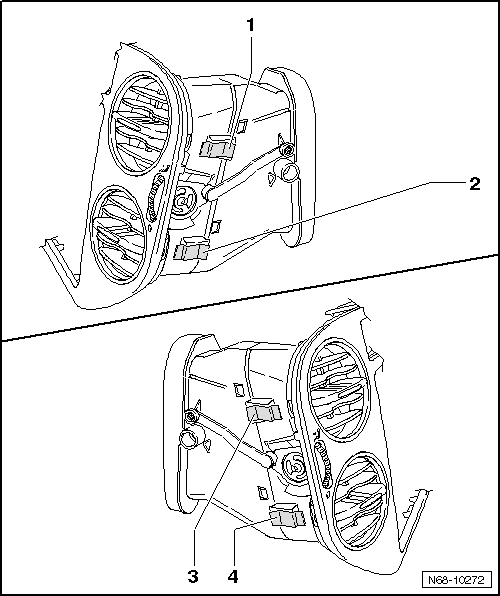
Move the panels of the four round vents in a horizontal position.
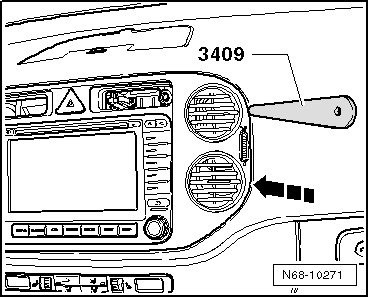
With two fingers grip in the openings next to the warning light switch and pull the trim out slightly into the vehicle interior.
Insert the removal wedge 3409 near the centre panel in the gap between the panel and dash panel.
Lift the panel here carefully out of the dash panel.
Disengage, as described, the lower panel catch (arrow).
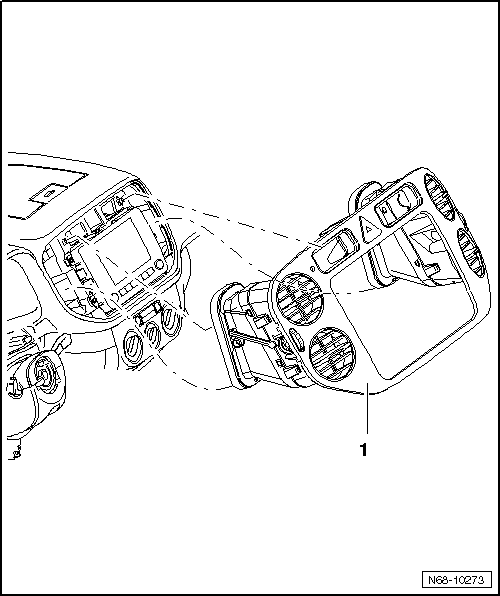
Pull the panel trim in the direction of the front passenger side and disengage, as described, the two clips on the opposite side.
Pull out panel trim (1) straight from dash panel.
Note
- In doing so, do not kink the trim.
Disconnect wiring harness from hazard warning switch.
Parts & tools for this job For 2007 Volkswagen Tiguan
- TOOLTrim removal tool kitSearch: trim removal tool kit
- PARTTouch-up paintSearch: Volkswagen touch up paint
- PARTPanel clip assortmentSearch: Volkswagen panel clips assortment
As an Amazon Associate we earn from qualifying purchases.