
Removing and installing DVD changer
- Make
- Volkswagen
- Model
- Touareg Mk2
- Year
- 2010–2018
- Section
- DVD changer › Removing and installing DVD changer
Removing and installing DVD changer
Special tools and workshop equipment requiredRadio release tool T10057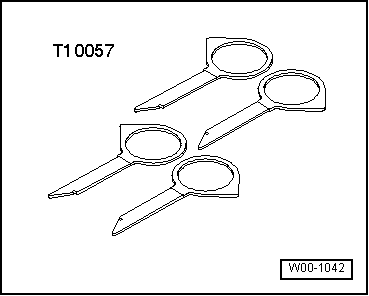
Switch off ignition and all electrical consumers.
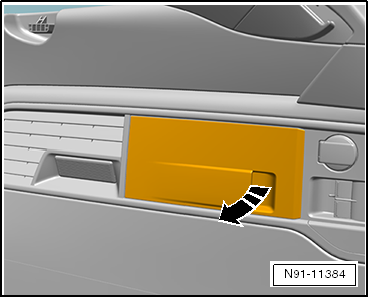
Open flap in right side panel trim in luggage compartment in (direction of arrow).
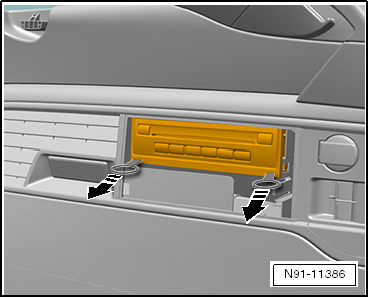
Slide release tool T10057 into the release slots (arrows) until they engage.
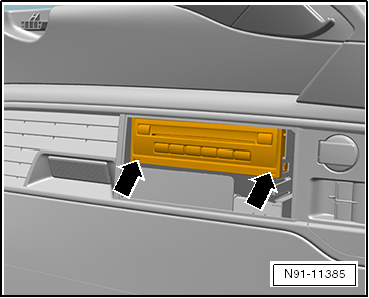
Pull DVD changer out of the mounting frame by grasping the loops of the release tools and pulling in (direction of arrow).
Detach connectors from DVD changer.
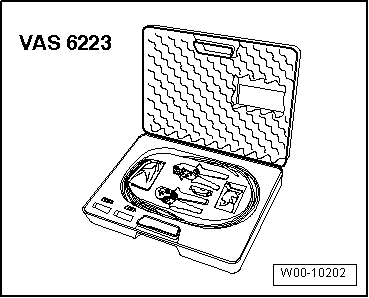
Disconnect the optical fibre conductor from DVD changer and fit protective cap VAS 6223/9 onto removed optical fibre conductor connection.
Note
- The optical fibre conductor is very sensitive mechanically.
- It must be ensured that the optical fibre conductor is not kinked or excessively bent.
- The bending radius must not be below 25 mm ∅.
- A kinked optical fibre conductor is no longer usable, since data transmission in a kinked optical fibre conductor is no longer fault-free.
- Do not remove the protective caps on the ends of the optical fibre conductor until the optical fibre conductor is connected to the respective terminal.
Install in reverse order of removal.
When control devices of the radio/navigation system are replaced, it is necessary to train the replaced control devices to match the vehicle. If this is not done, component protection is activated for these control devices. Then, they do not function or their functioning is severely restricted.
Training the control unit → Chapter
Parts & tools for this job For 2010 Volkswagen Touareg
- TOOLDigital multimeterSearch: automotive digital multimeter
- PARTAssorted fuse kitSearch: car fuse assortment kit
- TOOLWire crimper and connector kitSearch: wire crimper connector kit
As an Amazon Associate we earn from qualifying purchases.