
Removing and installing DVD player
- Make
- Volkswagen
- Model
- Transporter T4
- Year
- 1990–2003
- Section
- Multi-media system › Removing and installing DVD player
Removing and installing DVD player
Before beginning dismantling work, perform the following steps:
Switch off ignition and all electrical consumers and pull out ignition key.
Remove right front seat General body repairs, interiorRep. Gr.72Seat frames; Front seats; Removing driver's/passenger's seat
Note
- Normally, it is also sufficient to unscrew and remove the seat cushion with the seat frame still installed.
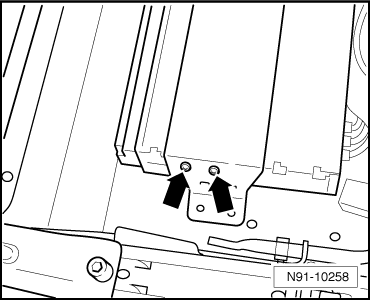
Remove the two screws (arrows) from each side of the holder.
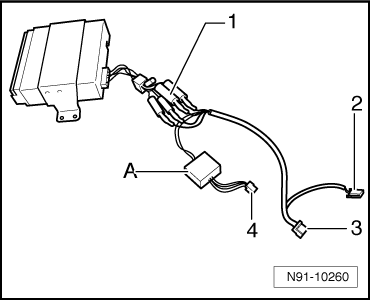
Disconnect cable connections (1 to 4) in the wiring harness. In order to avoid confusion, mark the appropriate connectors on connector (1). This will ensure that the connectors are properly connected later on.
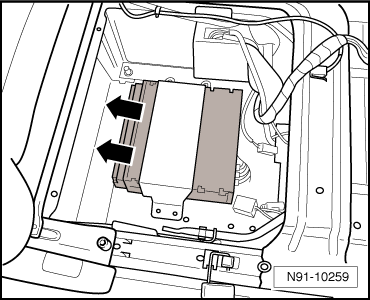
Push the DVD player in the (direction of arrow) forwards out of the holder
Install in reverse order of removal.
Carry out a functional check of the multi-media system.
Parts & tools for this job For 1990 Volkswagen Transporter
- TOOLDigital multimeterSearch: automotive digital multimeter
- PARTAssorted fuse kitSearch: car fuse assortment kit
- TOOLWire crimper and connector kitSearch: wire crimper connector kit
As an Amazon Associate we earn from qualifying purchases.