
Removing dual clutch
- Make
- Volkswagen
- Model
- Transporter T5
- Year
- 2003–2015
- Section
- Dual clutch › Removing dual clutch
Removing dual clutch
Special tools and workshop equipment required2 × hooks 3438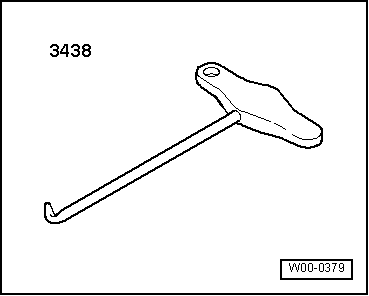
To remove or install the clutch, the gearbox must be securely attached to an assembly stand in vertical position.
Secure gearbox to assembly stand → Chapter.
Remove dual clutch cover → Chapter.
Insert retaining pin T10524.
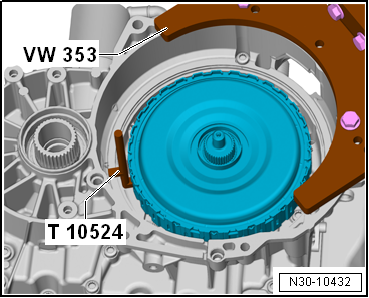
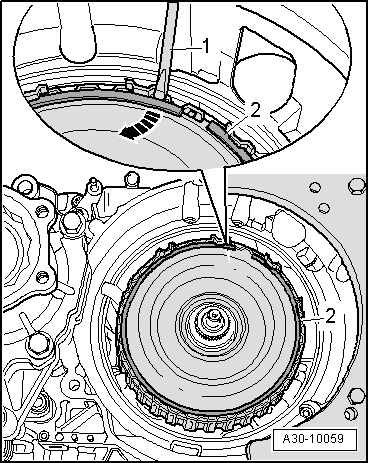
Lever out retaining ring (2) of drive plate using screwdriver (1)(arrow).
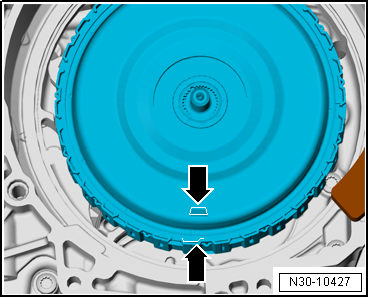
Please check if marking on drive plate (arrow) is aligned with marking on outer plate carrier.
If there is no mark:
Mark installation location of drive plate relative to periphery of outer plate carrier with permanent marker, as shown in illustration.
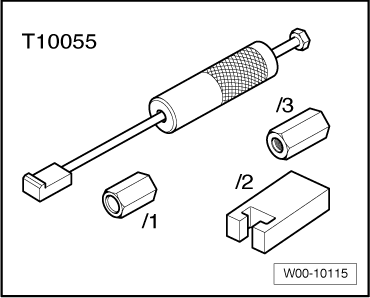
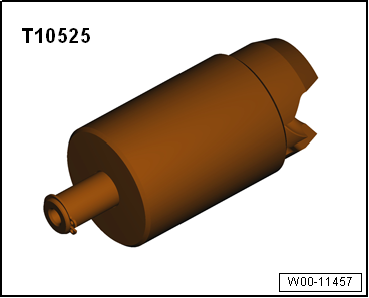
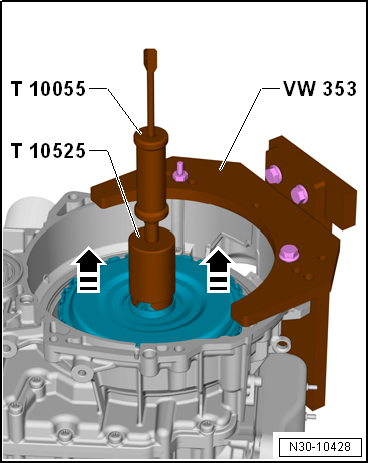
During installation, the drive plate must always be positioned at this marked location.Fit puller T10525 with puller T10055 onto splines, and carefully drive the drive plate out of its seat (arrows).
Insert retaining pin T10524.
Warning Secure the retaining ring against falling. The retaining ring might fall through an opening into the interior of the gearbox.
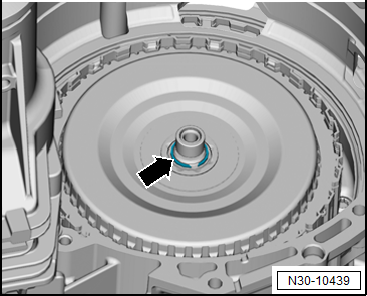
Remove retaining ring (arrow), and store it for later usage.
Note
- Do not dispose of the retaining ring as you will need it later for measuring the axial clearance.
Remove shim (arrow).
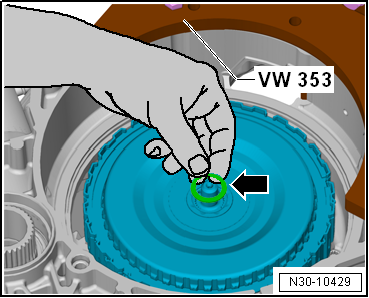
Warning Carefully remove the dual clutch. Take care that no parts fall out. Under no circumstances, therefore, turn the clutch over!
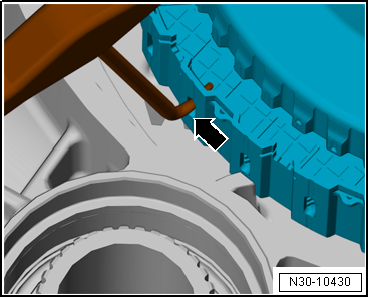
2 hooks 3438 to clutch at opposing positions (arrow).
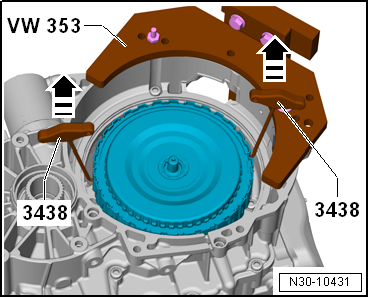
Use the hooks 3438 to remove dual clutch.
Parts & tools for this job For 2003 Volkswagen Transporter
- PARTClutch kitSearch: Volkswagen Transporter 2003 clutch kit
- TOOLClutch alignment toolSearch: clutch alignment tool
- FLUIDGear oilSearch: Volkswagen Transporter manual gearbox oil
As an Amazon Associate we earn from qualifying purchases.