
Removing and installing reversing camera
- Make
- Volkswagen
- Model
- Transporter T5
- Year
- 2003–2015
- Section
- Reversing camera system › Removing and installing reversing camera
Removing and installing reversing camera
Special tools and workshop equipment requiredTorque wrench V.A.G 1783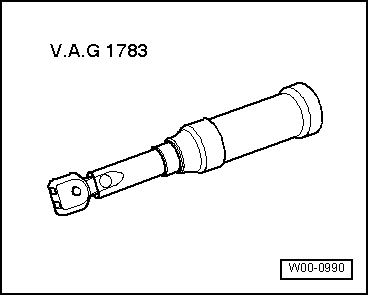
Switch off ignition and all electrical loads, and pull out ignition key.
Remove rear lid trim General body repairs, interiorRep. gr.70Rear door trims.
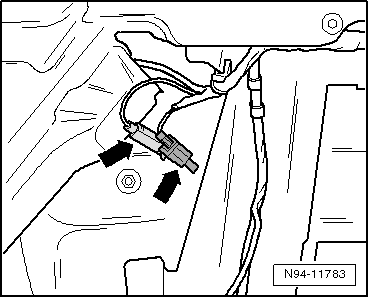
Release and disconnect connectors (arrows) of wiring harness leading to reversing camera.
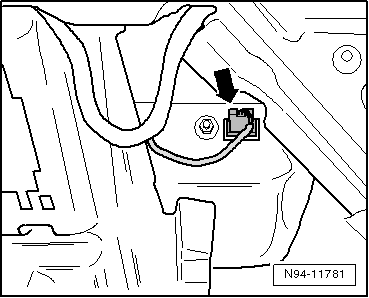
Release and disconnect connector (arrow) from number plate light carrier.
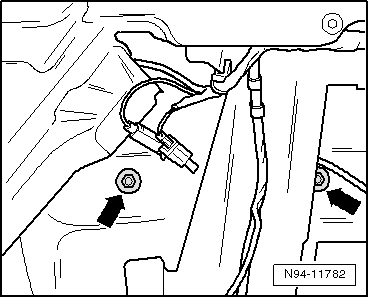
Unscrew the 4 securing nuts (arrows) from number plate light carrier.
Remove number plate light carrier (1) and guide wires (arrow) out of rear lid.
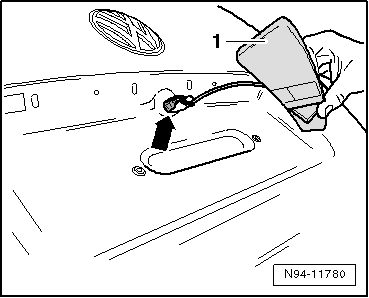
Pull reversing camera in (direction of arrow) off number plate light carrier.
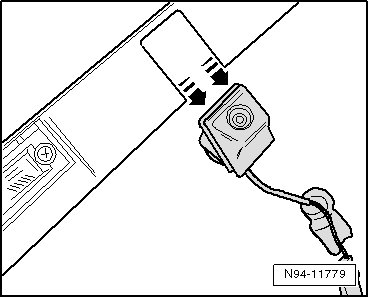
Install in the reverse order of removal. When doing this, note the following:
Warning Danger of leakage!
Twisted or not properly positioned seals may result in danger of water ingress into the luggage compartment.
Check that installed seals are in good condition and in proper installation position.
Connect and engage all connectors of the reversing camera wiring harness.
Secure wires and connectors with wiring retainers to prevent rattling.
After installation, clean reversing camera lens with a lint-free cloth.
Recalibrating reversing camera system → Chapter.
Parts & tools for this job For 2003 Volkswagen Transporter
- TOOLDigital multimeterSearch: automotive digital multimeter
- PARTAssorted fuse kitSearch: car fuse assortment kit
- TOOLWire crimper and connector kitSearch: wire crimper connector kit
As an Amazon Associate we earn from qualifying purchases.