
Removing and installing telephone bracket, “commercial vehicle” version
- Make
- Volkswagen
- Model
- Transporter T5
- Year
- 2003–2015
- Section
- Telephone system › Removing and installing telephone bracket, “commercial vehicle” version
Removing and installing telephone bracket, “commercial vehicle” version
For vehicles with a higher level of equipment, such as Multivan, etc. see "Removing and installing telephone bracket, “Multivan” version → Chapter.
Note
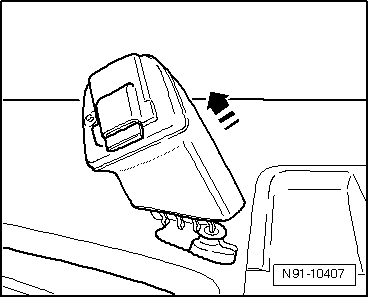
- The mobile telephone bracket is installed on the dash panel (arrow).
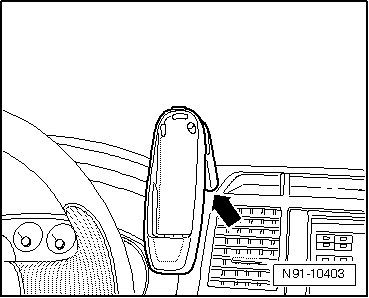
Switch off ignition and all electrical loads, and pull out ignition key.
Remove mobile phone from telephone bracket.
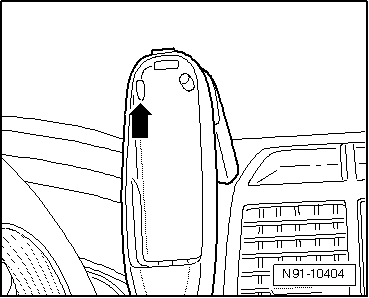
Press and hold button (arrow) and slide out mobile phone retainer downwards.
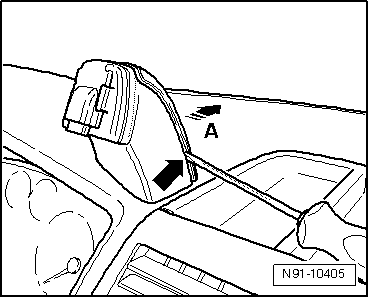
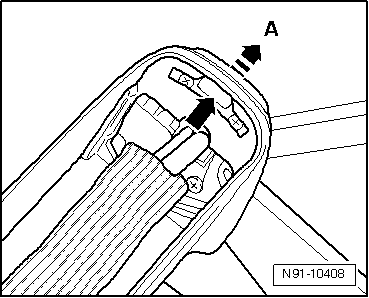
Insert a suitable screwdriver into telephone bracket (arrow) and lever off trim in (direction of arrow A).
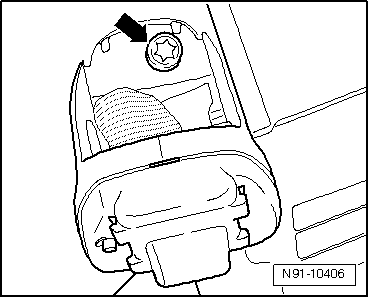
Unscrew securing bolt (arrow) in base mount of telephone bracket.
Pull telephone bracket in (direction of arrow) off dash panel, as far as the connected wiring allows.
Insert a suitable screwdriver into locking mechanism of contact plate (arrow) and push out contact plate in (direction of arrow A).
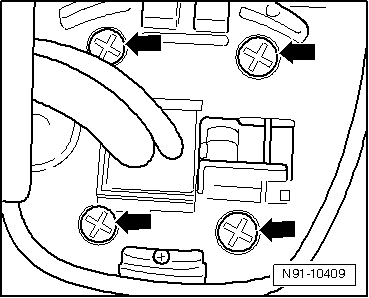
Unscrew the 4 securing bolts from contact plate (arrows).
Push wiring harness in contact plate in (direction of arrow) and remove it from guide.
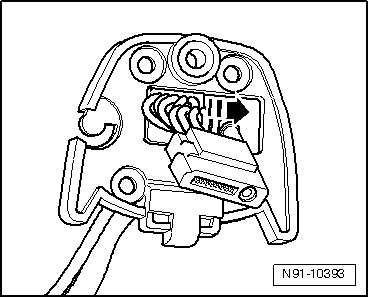
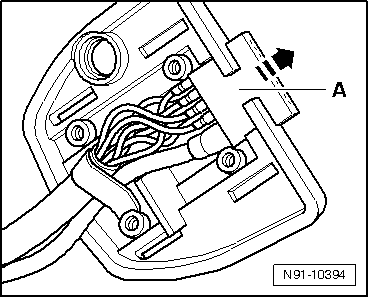
Push connector in (direction of arrow) forwards out of contact plate and guide out wiring harness through the slot (A) in the contact plate.
Install in reverse order of removal.
Parts & tools for this job For 2003 Volkswagen Transporter
- TOOLDigital multimeterSearch: automotive digital multimeter
- PARTAssorted fuse kitSearch: car fuse assortment kit
- TOOLWire crimper and connector kitSearch: wire crimper connector kit
As an Amazon Associate we earn from qualifying purchases.