
Removing and installing brake disc
- Make
- Volkswagen
- Model
- Transporter T6
- Year
- 2015–2019
- Section
- Front brakes › Removing and installing brake disc
Brake systemsRemoving and installing brake disc
Removing and installing brake disc
Special tools and workshop equipment requiredTorque wrench V.A.G 1332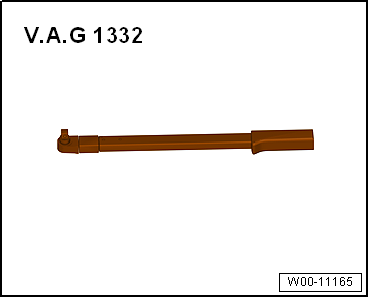
Removing and installing brake caliper → Chapter
Removing and installing brake caliper → Chapter
Note
- The procedure described below applies only to the removal and installation or exchange of the brake disc or during work on the front axle.
Unscrew bolt securing brake disc (4).
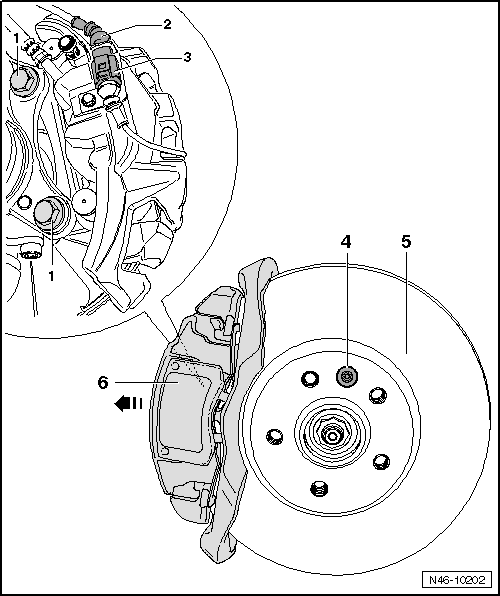
Remove brake disc (5) from wheel bearing unit.
Note
- Do not use force to separate the brake disc from the wheel hub. Brake disc damage may otherwise occur on reuse. Use penetration spray.
Installation is performed in reverse sequence; note the following:
Note
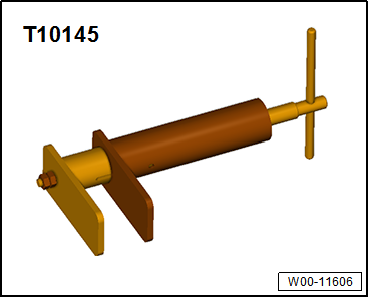
- If new brake discs are installed, brake pistons of brake caliper must first be pressed back a few millimetres using piston resetting appliance T10145.
Clean contact surfaces (1) on wheel bearing unit before installing brake disc.
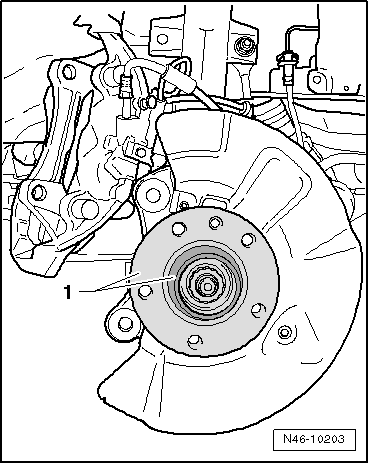
Position brake disc (2) on front axle and tighten securing bolt (3).
Install remaining parts again.
Note
- Firmly depress brake pedal several times with vehicle stationary so that the brake pads are properly seated in their normal operating position.
- Check the brake fluid level in the brake fluid reservoir.
- Vehicles with floating caliper disc brake FN3 Chapter“Assembly overview - front brake, floating caliper disc brake FN3”
- Vehicles with floating caliper disc brake 2FNR Chapter“Assembly overview - front brake, floating caliper disc brake 2FNR”
Parts & tools for this job For 2015 Volkswagen Transporter
- PARTFront brake padsSearch: Volkswagen Transporter 2015 front brake pads
- TOOLCaliper piston rewind toolSearch: brake caliper piston rewind tool
- FLUIDBrake fluidSearch: brake fluid
As an Amazon Associate we earn from qualifying purchases.