
Removing and installing rotary light switch EX1
- Make
- Volkswagen
- Model
- XL1 plug-in hybrid
- Year
- 2014–2016
- Section
- Controls › Removing and installing rotary light switch EX1
‹ Prev Overview of fitting locations - controls in roof trimNext › Removing and installing controls for centre of dash panel J819
Electrical systemRemoving and installing rotary light switch EX1
Removing and installing rotary light switch EX1
Press rotary light switch EX1(1) in centre (arrow A).
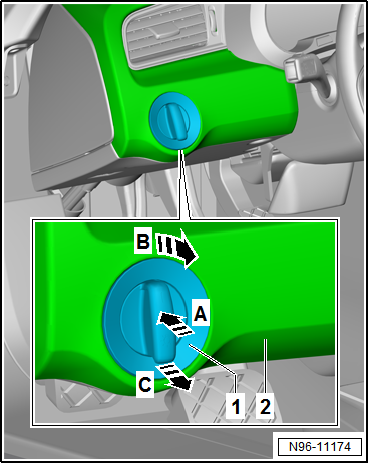
Turn rotary light switch EX1(1) in centre in (direction of arrow B).
Pull rotary light switch EX1(1) out of dash panel (2)(arrow C).
Disconnect connector (1) from rotary light switch EX1(2).
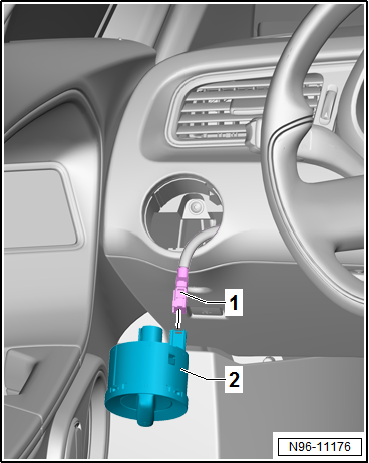
Installation is carried out in the reverse sequence.
‹ Prev Overview of fitting locations - controls in roof trimNext › Removing and installing controls for centre of dash panel J819
Parts & tools for this job For 2014 Volkswagen XL1
- TOOLOBD2 scannerSearch: OBD2 scanner
- TOOLDigital multimeterSearch: automotive digital multimeter
- TOOLBack-probe test leadsSearch: back probe test leads
As an Amazon Associate we earn from qualifying purchases.