
XC90 FWD L6-3.2L VIN 98 B6324S (2007)
DVD Player: All Technical Service Bulletins
DVD Player - Won't Accept/Eject DVD's/Inoperable
NO: 39-58
DATE: 02-14-2007
MODEL: All with Factory Equipped RSE (Rear Seat Entertainment Systems)
SUBJECT:
Multiple discs inserted into RSE DVD player
REFERENCE:
VIDA fault tracing information
DESCRIPTION:
Customers may report that their RSE Rear Seat Entertainment DVD Player will not accept DVDs (DVD player will not allow DVD discs to be inserted;
DVD Player is inoperable or will not eject the DVD disc).
One possibility for this condition is that there may be 2 or more discs inserted into the DVD player. If multiple discs are found in the DVD player please
do not submit the unit for warranty. If a DVD player is returned for warranty with 2 discs inside, the claim and part will be denied.
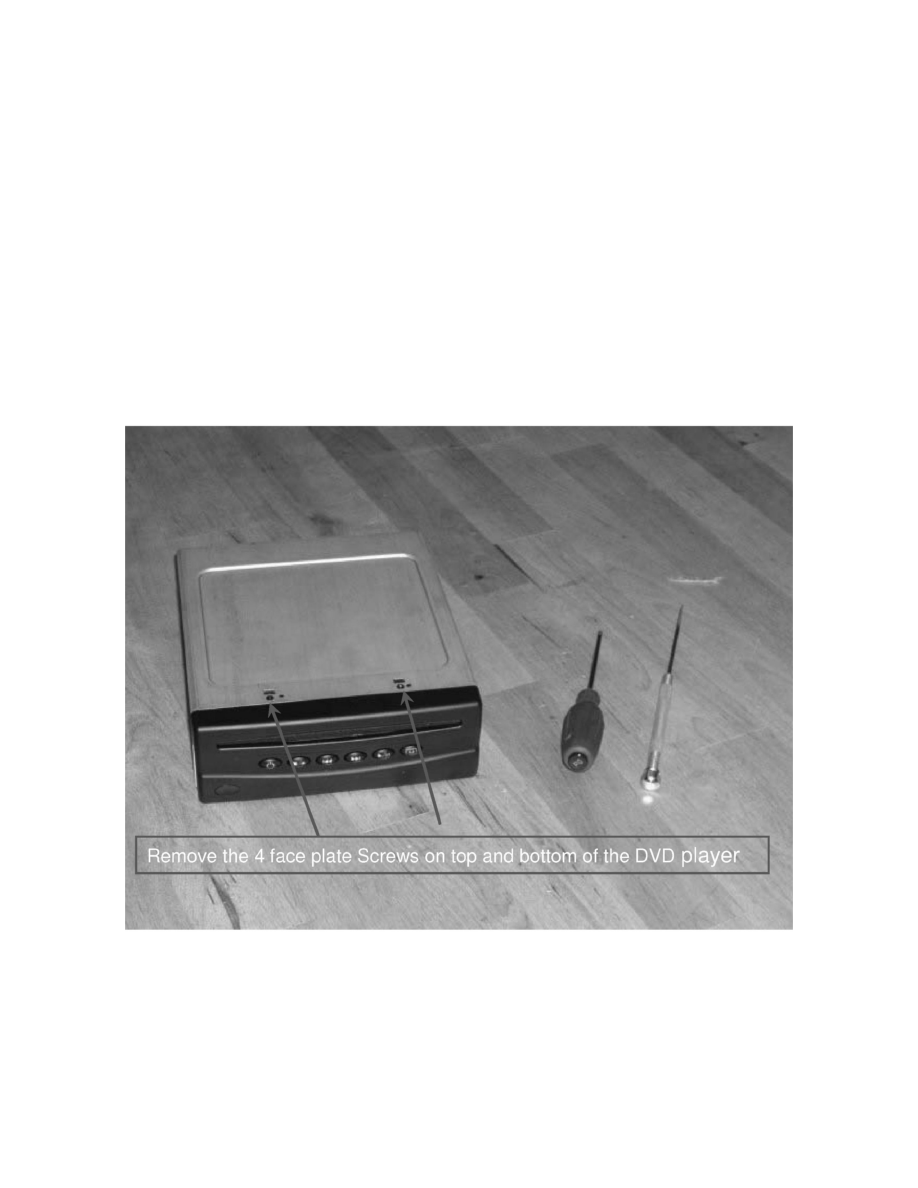
Refer to the illustration for a method to remove stuck multiple discs with customer approval.
Note:
Any DVD Players returned to TMA disassembled or tampered with, will not be covered under warranty.
This TNN describes the method to inspect the DVD player for multiple disc insertion.
It is not necessary to remove the DVD player for inspection.
Carefully spread the protective dust cover apart using a hemostat or similar tool as described in this procedure. Be careful not to scratch the unit or
damage the opening of the DVD Player or damage the customer's DVDs inside the unit.
