
Brake pedal
- Make
- Alfa Romeo
- Model
- GTV / Spider GTV and Spider (916) Factory Service Manual
- Year
- 1995–2000
- Section
- Brake hydraulic cyrcuit › Brake pedal
Right-hand drive variantsBrake pedal
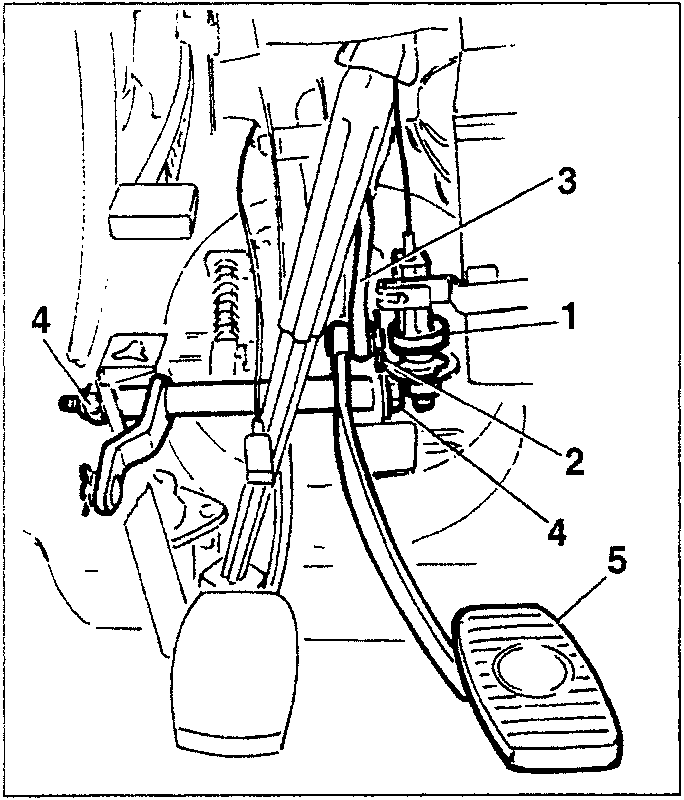
BRAKE PEDAL
REMOVAL/REFITTING
- Turn and remove the brake light switch from its housing.
- Remove the split pin.
- Withdraw the connecting rod from the pin on the brake pedal.
- Slacken and remove the pedal fastening bolt.
- Retrieve the brake pedal.
BRAKE PUMP
REMOVAL/REFITTING
- Drain the brake-clutch fluid reservoir, using a suitable syringe.
- Disconnect the three electrical connections on the side of the intake box.
- Prise the connectors opening the plastic clamps.
- Slacken the screw and remove the rear clamp.
- Disconnect the vacuum pipe fitting for the servo-brake (press the tabs on the fitting).
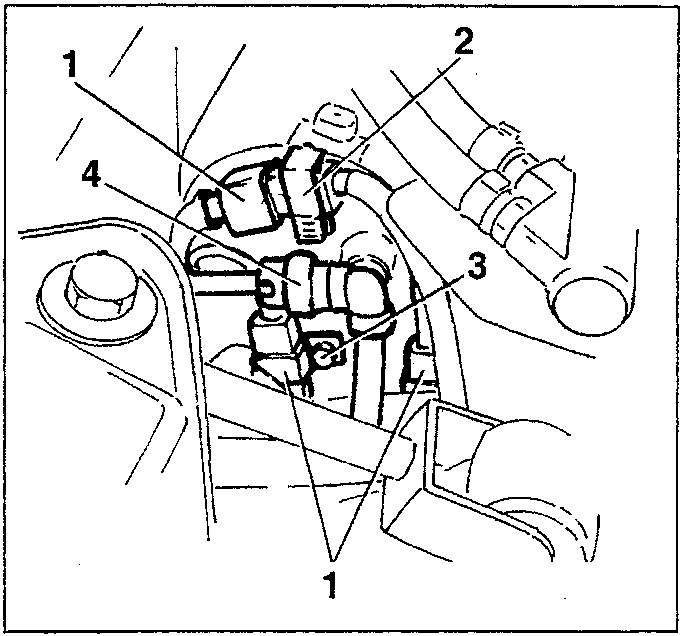
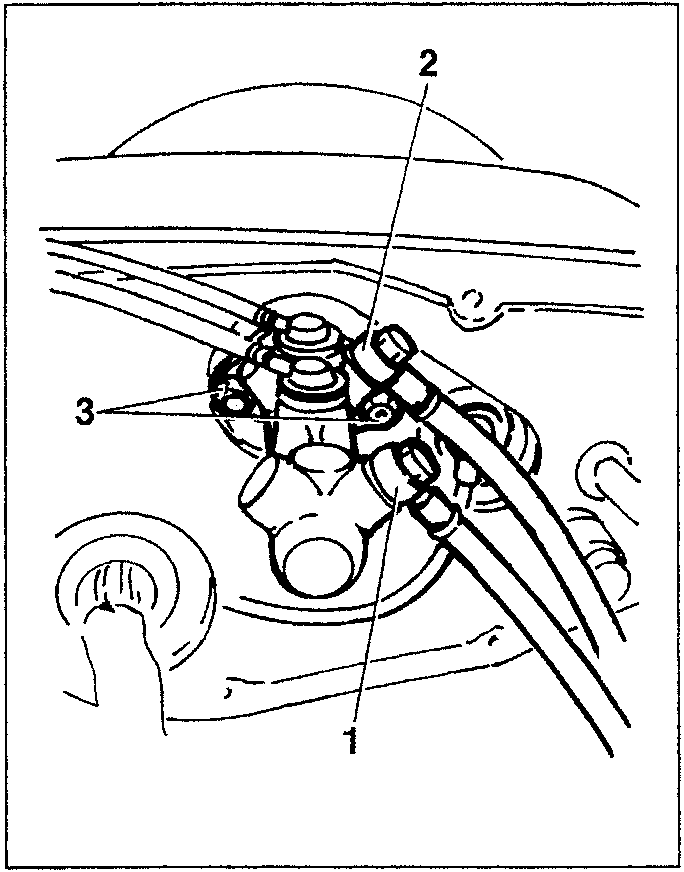
- Slacken the front fitting on the brake pump.
- Slacken the rear fitting.
- Slacken the two pump fastening nuts.
Parts & tools for this job For 1995 Alfa Romeo GTV / Spider
- PARTBrake padsSearch: Alfa Romeo GTV / Spider 1995 brake pads
- TOOLBrake bleeder kitSearch: one man brake bleeder kit
- FLUIDBrake fluidSearch: brake fluid
Links open Amazon search results in a new tab. As an Amazon Associate I earn from qualifying purchases.