
DeVille DTS V8-4.6L VIN 9 (2002)
1. Record the RIM personalization settings. Refer to Driver Personalization.
2. Remove the rear storage compartment trim.
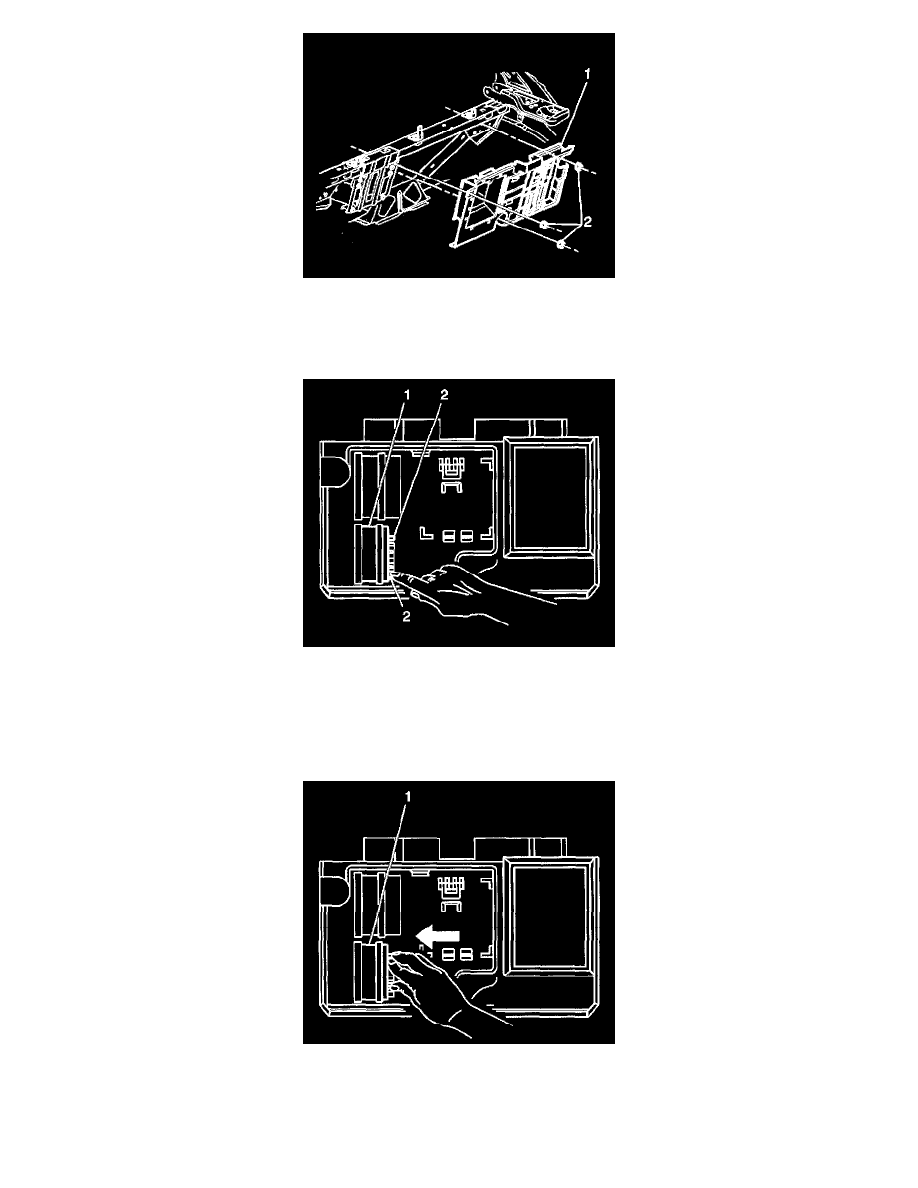
3. Remove the mounting bracket fasteners (2).
4. Pull the mounting bracket (1) away from the body and place the mounting bracket (1) module side up in the rear compartment.
5. Disconnect the RIM (1) electrical connectors.
6. Depress inward on the locking tabs (2).
7. With the locking tabs (2) depressed, slide the RIM (1) out of the mounting bracket.
8. Remove the RIM module (1) from the mounting bracket.
INSTALLATION PROCEDURE
1. Install the RIM module (1) to the mounting bracket.
2. Push the RIM (1) into the mounting bracket until an audible click is heard indicating the locking tabs are fully engaged.
3. Connect the RIM (1) electrical connectors.