
Brake Pedal Assy: Adjustments
- Make
- Honda
- Model
- Fit
- Engine
- L4-1.5L
- Year
- 2008
- Section
- Brake Pedal Assy › Adjustments
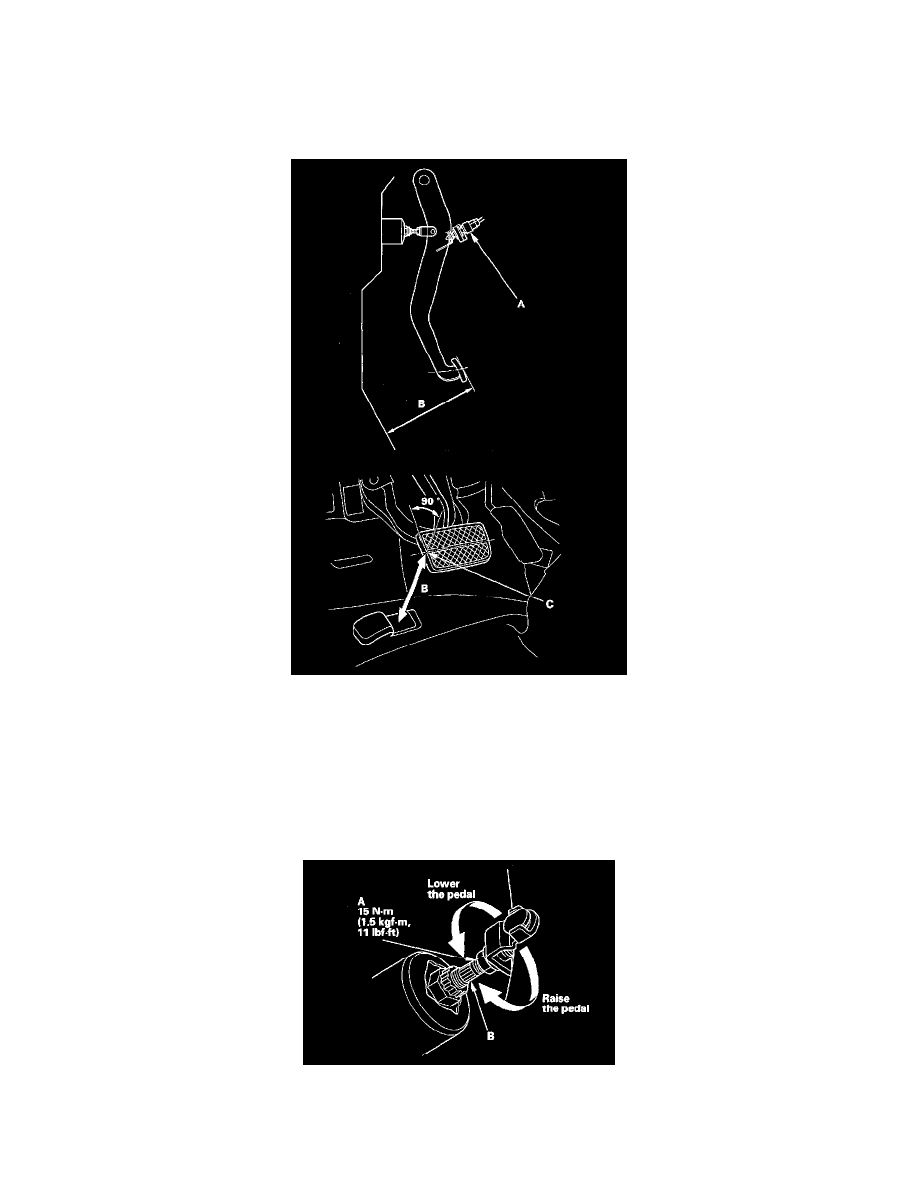
Brake Pedal Assy: Adjustments
Brake Pedal and Brake Pedal Position Switch Adjustment
Pedal Height
1. Turn the brake pedal position switch (A) counterclockwise, and pull it back until it is no longer touching the brake pedal,
2. Pull back the carpet and find the cutout in the insulator. Lift up the insulator cutout and measure the pedal height (B) at the middle of the left side
center of the pedal pad (C) to the floor.
Standard pedal height (with carpet removed):
M/T model: 141 mm (5 9/16 in.)
A/T model: 145 mm (5 11/16 in.)
3. Loosen the pushrod locknut (A), and screw the pushrod (B) in or out with pliers until the standard pedal height from the floor is reached. After
adjustment, tighten the locknut firmly. Do not adjust the pedal height with the pushrod pressed.
Brake Pedal Position Switch Clearance
4. Lift up on the brake pedal by hand. Push in the brake pedal position switch until its plunger is fully pressed (threaded end (A) touching the pad (B)
on the pedal arm). Then, turn the switch 45° clockwise to lock it. The gap between the brake pedal position switch and the pad is automatically
Pinch or Ctrl + scroll to zoom. Double-tap to reset.
Parts & tools for this job For 2008 Honda Fit 1.5L
- PARTBrake padsSearch: Honda Fit 2008 1.5L brake pads
- TOOLBrake bleeder kitSearch: one man brake bleeder kit
- FLUIDBrake fluidSearch: brake fluid
Links open Amazon search results in a new tab. As an Amazon Associate I earn from qualifying purchases.