
Clutch Fluid: Specifications (page 3 of 3)
- Make
- Mazda
- Model
- Protege
- Engine
- L4-2.0L DOHC
- Year
- 2003
- Section
- Fluids › Clutch Fluid
Clutch Fluid: Service and Repair
CLUTCH FLUID REPLACEMENT/AIR BLEEDING
1. Remove the splash shield.
Caution:
^
Clutch fluid will damage painted surfaces. Be sure to use a container or rags to collect it. If fluid does get on a painted surface, wipe it off
immediately with a rag.
Note:
^
Do not mix different brands of fluid.
^
Do not reuse the clutch fluid that was drained.
2. Draw the fluid from the reservoir with a suction pump.
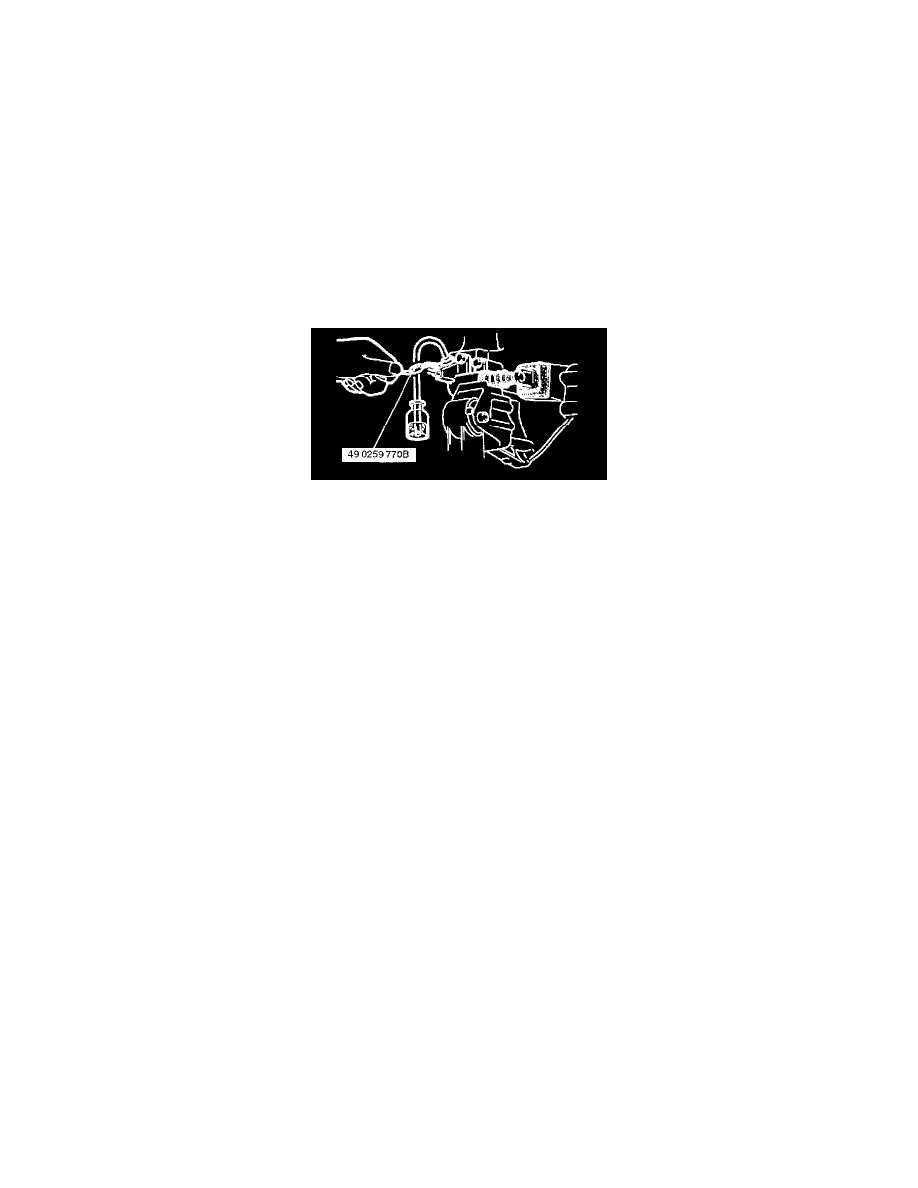
3. Remove the bleeder cap from the clutch release cylinder and attach a vinyl hose to the bleeder plug.
4. Place the other end of the vinyl hose in a clear container.
5. Slowly pump the clutch pedal several times.
6. With the clutch pedal depressed, loosen the bleeder screw using the SST to let the fluid escape. Close the bleeder screw using the SST.
7. Repeat Steps 5 and 6 until only clean fluid is seen.
8. Tighten the bleeder screw.
Tightening torque 5.9 - 8.8 Nm (60 - 90 kgf.cm, 53-78 inch lbs.)
9. Add fluid to the MAX mark.
10. Install the splash shield.
11. Verify the correct clutch operation.
Pinch or Ctrl + scroll to zoom. Double-tap to reset.
Parts & tools for this job For 2003 Mazda Protege 2.0L
- PARTClutch kitSearch: Mazda Protege 2003 2.0L clutch kit
- TOOLClutch alignment toolSearch: clutch alignment tool
- FLUIDGear oilSearch: Mazda Protege manual gearbox oil
Links open Amazon search results in a new tab. As an Amazon Associate I earn from qualifying purchases.