
Removing and installing plenum chamber electronics box
- Make
- SEAT
- Model
- Exeo
- Year
- 2008–2013
- Section
- Electrical system › Removing and installing plenum chamber electronics box
Removing and installing plenum chamber electronics box
Switch off ignition and all electrical consumers and take out ignition key.
Pull the rubber seal of the water container cover in the direction of the (arrow).
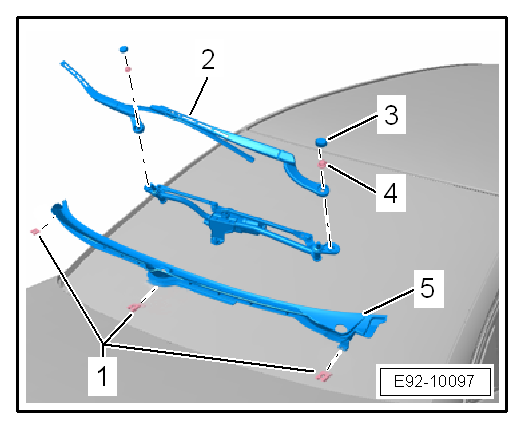
Remove both wiper arms (2) (item 3 and 4) Chapter “Removing and installing windscreen wiper arms”.
Warning
To stop the cowl panel grille (5) being torn on removal, apply a small quantity of soap solution to the transition between the windscreen and cowl panel grille and pull the cowl panel grille vertically upwards out of the fastening strip, starting at the edge of the windscreen.
Pull off retaining clips (1) and remove the cowl panel grille (5).
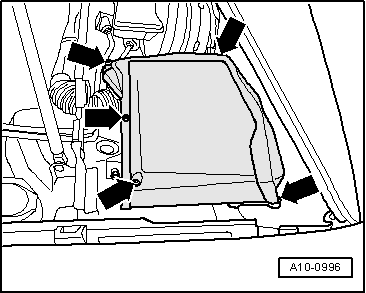
Remove cover for electronics box in plenum chamber (arrows).
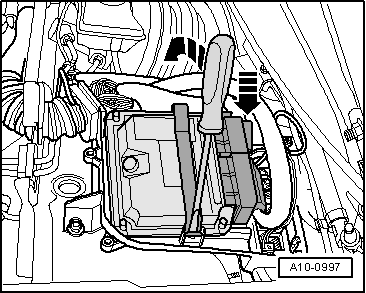
Use screwdriver to pry off retaining strap (arrows).
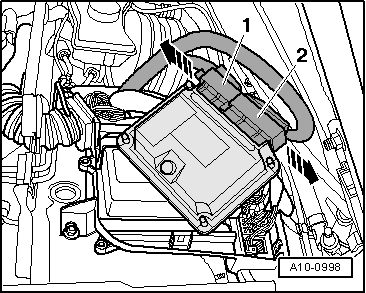
Release retaining tabs (arrows) and unplug connectors (1) and (2) for engine control unit.
If fitted, release the retaining clip for the gearbox control unit.
Release connector (arrow) and unplug it from gearbox control unit.
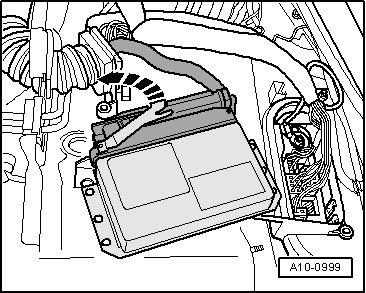
Unplug electrical connectors (2) at rear of connector console.
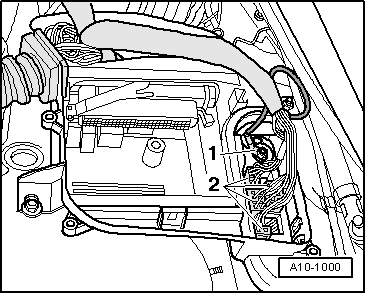
Unscrew the wiring connection (1)
Release retaining clips (arrows) and lift auxiliary relay carrier out of electronics box.
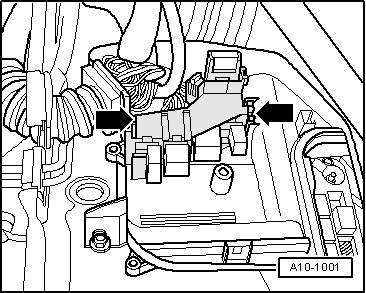
Detach the engine wiring harness at electronics box and bulkhead and move it clear.
Remove securing nuts (arrows).
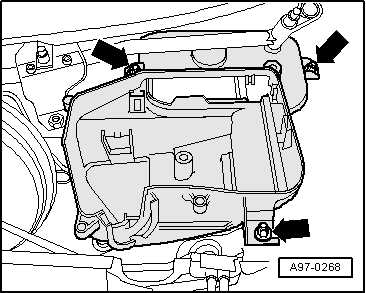
Lift electronics box and remove upwards.
Installation is carried out in reverse order.
| Components | Nm |
|---|---|
| Electronics box (plenum chamber) to body | 3 |
Parts & tools for this job For 2008 SEAT Exeo
- TOOLDigital multimeterSearch: automotive digital multimeter
- PARTAssorted fuse kitSearch: car fuse assortment kit
- TOOLWire crimper and connector kitSearch: wire crimper connector kit
As an Amazon Associate we earn from qualifying purchases.