
Removing and installing buttons in centre of dash panel
- Make
- Volkswagen
- Model
- Caddy Mk4
- Year
- 2015–2020
- Section
- Controls › Removing and installing buttons in centre of dash panel
‹ Prev Removing and installing warning lamp for airbag deactivated on front passenger side K145Next › Removing and installing hazard warning light button E229
Electrical systemRemoving and installing buttons in centre of dash panel
Removing and installing buttons in centre of dash panel
Warning Danger of damage to component surfaces.
- When working with leverage tools, always mask off the components installed in visible areas using commercially available adhesive tape.
Depending on equipment, the following buttons are installed in the centre console storage compartment:
- Parking aid button E266
- Park assist steering button E581
- Start/stop operation switch E693
- TCS and ESP button E256
- Heated windscreen button E627
Note
- The procedure for removal and installation is the same for all buttons in the centre console switch trim and is therefore described for just one button.
Switch off ignition and all electrical loads, and pull out ignition key.
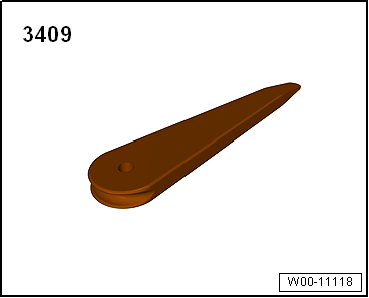
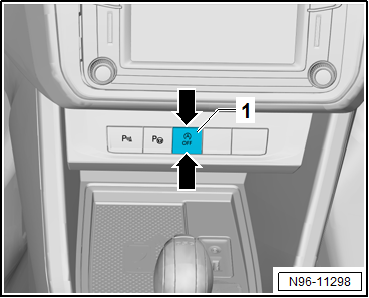
Carefully lever off cap of button (1) with a suitable flat-bladed screwdriver or removal wedge VAS 3409(arrows).
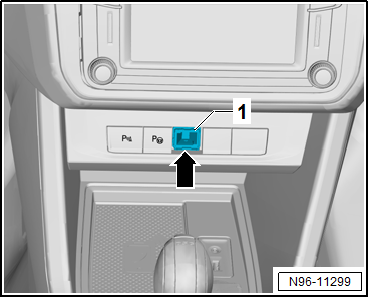
Lever out button (1) from switch trim (arrow).
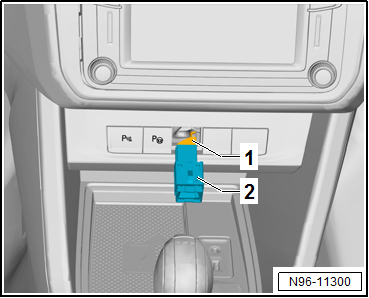
Release and separate electrical connector (1) and remove button (2).
Install in the reverse order of removal, observing the following:
Note
- When removing and installing several buttons at the same time, ensure that the lettering of the button cap corresponds with the function of the button during installation.
Following installation, check the function of all buttons in question.
‹ Prev Removing and installing warning lamp for airbag deactivated on front passenger side K145Next › Removing and installing hazard warning light button E229
Parts & tools for this job For 2015 Volkswagen Caddy
- TOOLDigital multimeterSearch: automotive digital multimeter
- PARTAssorted fuse kitSearch: car fuse assortment kit
- TOOLWire crimper and connector kitSearch: wire crimper connector kit
As an Amazon Associate we earn from qualifying purchases.