
Command keys (version 2) - remove and install
- Make
- Volkswagen
- Model
- Fox Brazil: Fox, SpaceFox, CrossFox
- Year
- 2010–2015
- Section
- Multifunction steering wheel › Command keys (version 2) - remove and install
‹ Prev Command keys (version 1) - remove and installNext › Tiptronic switch on the steering wheel E439/ E438 remove and install
Electrical: CommunicationCommand keys (version 2) - remove and install
Command keys (version 2) - remove and install
Special tools and workshop equipment requiredScraper VW 037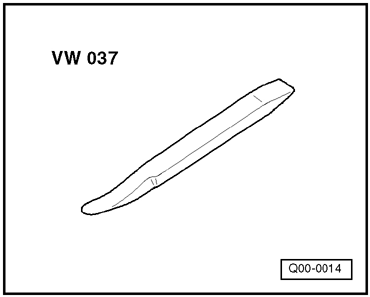
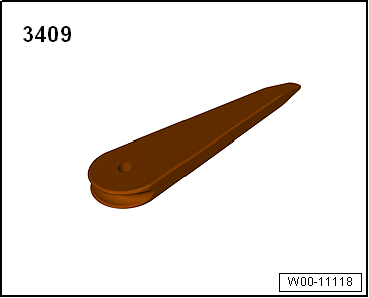
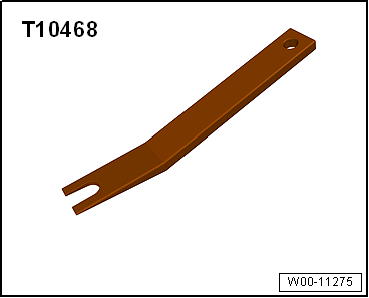
Note
- The command keys are bolted to the frame. The frame is secured to the steering wheel along with the command keys. Using a second wedge 3409 and/or Scraper VW 037 the frame can be easily removed.
Turn off the ignition and all electrical devices, then remove the ignition key.
Remove the Driver side airbag igniter N95Body - Internal assembly worksRep. gr.69Occupants' protection.
Unlock the steering wheel frame (1) in the area of arrows (A) and (B) using the wedge 3409 and/or Scraper VW 037.
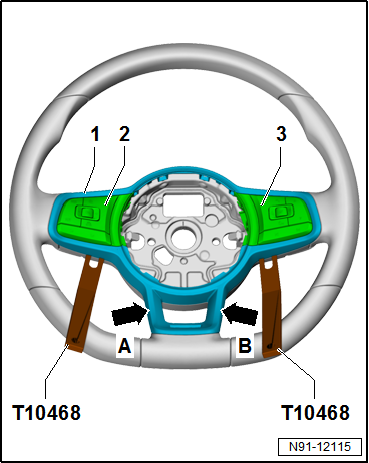
Unlock the frame (1) in the Multifunction buttons on left in steering wheel E440(2) and Multifunction buttons on right in steering wheel E441(3) using the lever T10468.
Remove the steering wheel lining (1) in the area of arrows (A) and (B).
Disconnect connectors.
Installation is performed in reverse sequence to the removal, considering the following:
Note
- To ensure proper installation, the frame must be inserted first from the lower part, followed by the sides.
‹ Prev Command keys (version 1) - remove and installNext › Tiptronic switch on the steering wheel E439/ E438 remove and install
Parts & tools for this job For 2010 Volkswagen Fox
- TOOLTie rod end toolSearch: tie rod end puller
- TOOLBall joint separatorSearch: ball joint separator
- FLUIDPower steering fluidSearch: Volkswagen power steering fluid
As an Amazon Associate we earn from qualifying purchases.