
Removing and installing brake caliper
- Make
- Volkswagen
- Model
- Golf Mk7
- Year
- 2013–2020
- Section
- Front brakes › Removing and installing brake caliper
Removing and installing brake caliper
Special tools and workshop equipment requiredTorque wrench V.A.G 1331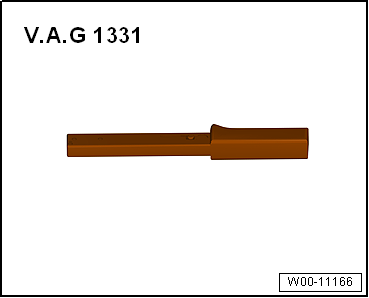
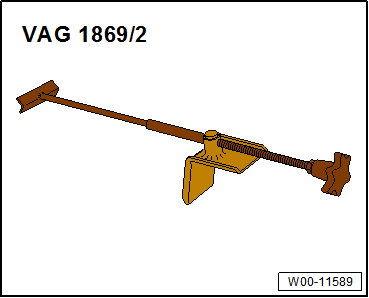
Note
- This procedure applies only to exchanging or the following repair work on the brake caliper.
Remove wheels.
Disconnect connector for brake pad wear indicator.
Connect hose of bleeder bottle (1) to bleeder valve of brake caliper.
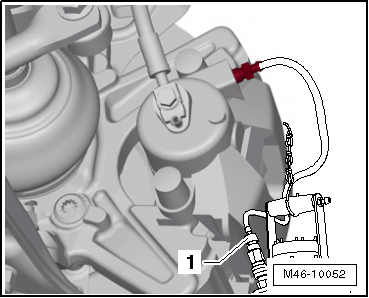
Open bleeder valve.
Apply brake pedal depressor V.A.G 1869/2.
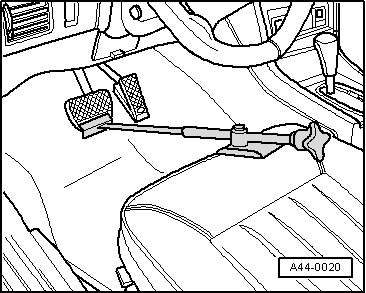
Close bleeder valve and remove bleeder bottle.
Unscrew brake hose.
Unscrew both securing bolts from brake caliper, counterholding on guide pin.
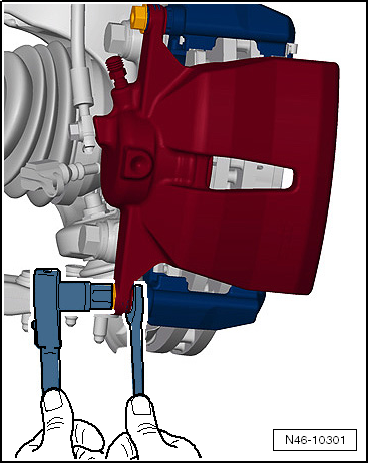
Pull brake caliper off brake carrier.
Piston is pressed back.The two brake pads are seated in the retaining springs on the brake carrier.Carefully fit brake caliper onto brake carrier.
Secure brake caliper to brake carrier with new self-locking bolts, counterholding on guide pin.
Screw brake hose onto brake caliper.
Remove brake pedal depressor V.A.G 1869/2.
Connect brake pad wear indicator connector.
Bleed brake system → Chapter.
Fit wheels.
Firmly depress brake pedal several times with vehicle stationary so that the brake pads are properly seated in their normal operating position.
Check brake fluid level.
- Chapter“Assembly overview - front brakes”
- Chapter“Assembly overview - front brake caliper”
- Running gear, axles, steeringRep. gr.44Wheels, tyres; Specified torque for wheel bolts.
Note
- Firmly depress brake pedal several times with vehicle stationary so that the brake pads are properly seated in their normal operating position.
- Check brake fluid level.
Parts & tools for this job For 2013 Volkswagen Golf
- PARTFront brake padsSearch: Volkswagen Golf 2013 front brake pads
- TOOLCaliper piston rewind toolSearch: brake caliper piston rewind tool
- FLUIDBrake fluidSearch: brake fluid
As an Amazon Associate we earn from qualifying purchases.