
Removing and installing brake splash plate
- Make
- Volkswagen
- Model
- Golf Mk7
- Year
- 2013–2020
- Section
- Front brakes › Removing and installing brake splash plate
Brake systemRemoving and installing brake splash plate
Removing and installing brake splash plate
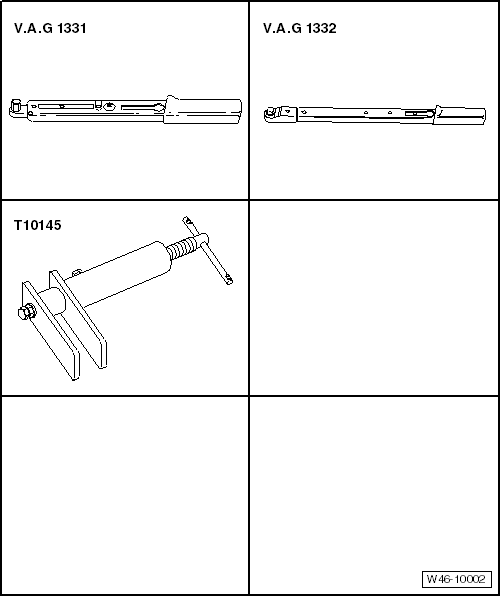
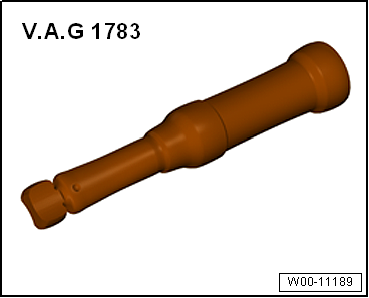
Loosen wheel bolts.
Raise vehicle.
Remove wheel.
Remove brake carrier → Chapter.
Remove brake disc → Chapter.
Remove bolts (arrows) for splash plate (1).
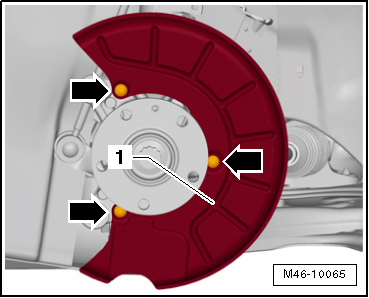
Remove splash plate (1).
Warning Do not blow out brake system with compressed air; the resulting dust constitutes a health hazard!
Install in reverse order. Note the following points:
Note
- Before installing, clean carefully and check for wear and damage.
Thoroughly clean contact surfaces for brake pads on backplate, and remove any corrosion.
If existing brake pads are to be re-used, re-install the marked brake pads at the same position.
Firmly depress brake pedal several times with vehicle stationary so that the brake pads are properly seated in their normal operating position.
Check brake fluid level.
- Chapter“Assembly overview - front brakes”
- Chapter“Assembly overview - front brake caliper”
- Running gear, axles, steeringRep. gr.44Wheels, tyres; Specified torque for wheel bolts.
Parts & tools for this job For 2013 Volkswagen Golf
- PARTBrake padsSearch: Volkswagen Golf 2013 brake pads
- TOOLBrake bleeder kitSearch: one man brake bleeder kit
- FLUIDBrake fluidSearch: brake fluid
As an Amazon Associate we earn from qualifying purchases.