
Removing
- Make
- Volkswagen
- Model
- Golf Plus
- Year
- 2005–2014
- Section
- Repairing front brakes › Removing
Removing
Remove wheels.
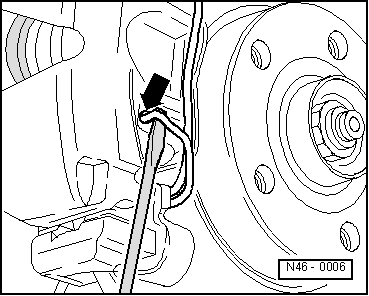
Lever brake pad retaining spring out from brake caliper (arrow) with a screwdriver and remove.
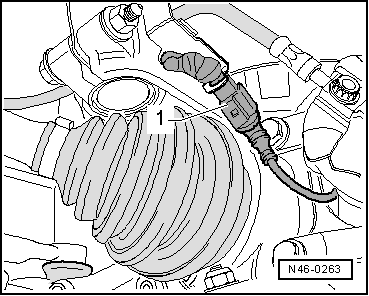
Disconnect connector (1) for brake pad wear indicator.
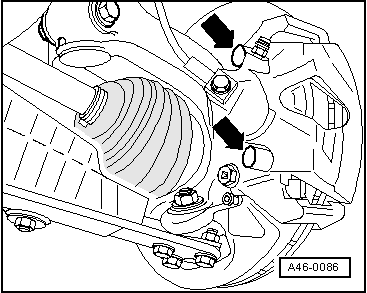
Remove cover caps (arrows).
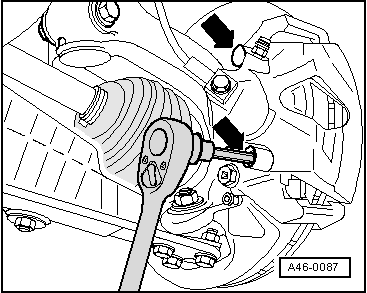
Unscrew both guide pins (arrows) and remove from brake caliper.
Remove brake caliper and secure with wire so that weight of brake caliper does not strain or damage brake hose.
Take brake pad out of brake caliper or from brake carrier.
Warning Do not blow out brake system with compressed air; the resulting dust constitutes a health hazard!
Thoroughly clean brake carrier and contact surfaces for brake pads and remove corrosion.
Clean brake caliper, in particular the bonding surface for the brake pad. It must be free of adhesive and grease residues.
Parts & tools for this job For 2005 Volkswagen Golf
- PARTBrake padsSearch: Volkswagen Golf 2005 brake pads
- TOOLBrake bleeder kitSearch: one man brake bleeder kit
- FLUIDBrake fluidSearch: brake fluid
As an Amazon Associate we earn from qualifying purchases.