
Removing:
- Make
- Volkswagen
- Model
- Golf Plus
- Year
- 2005–2014
- Section
- Telephone systems › Removing:
Electrical: CommunicationRemoving:
Removing:
Before beginning dismantling work, perform the following steps:
Switch off ignition and all electrical consumers and remove ignition key.
Remove mobile telephone from bracket.
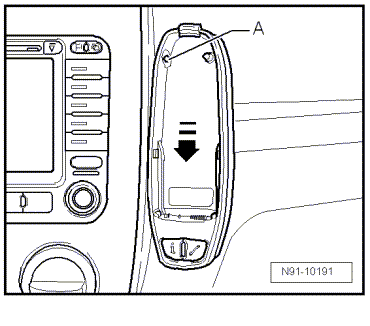
Press and hold button (A) and push out mobile phone bracket downwards (arrow).
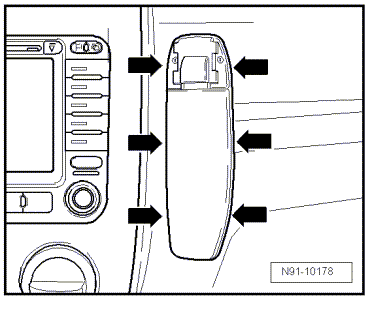
Unclip cover (arrows) from mounting.
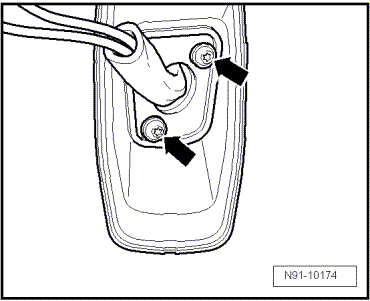
Remove both bolts (arrows).
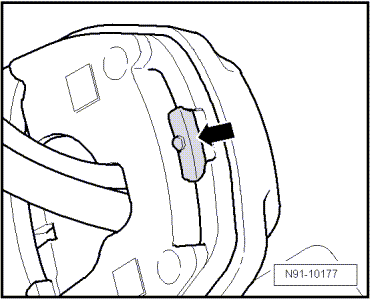
Carefully lever contact plate out (arrow) of basic mounting using a suitable screwdriver.
Remove the four bolts (arrows) from contact plate.
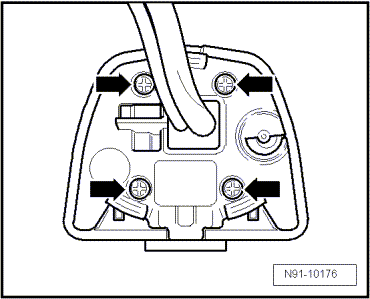
Push wiring in contact plate in direction of (arrow) and remove it.
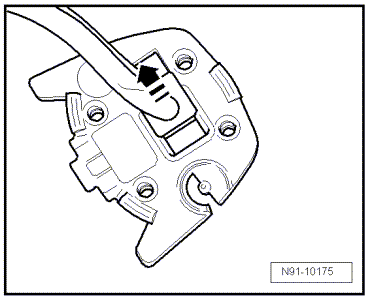
Remove bracket.
Parts & tools for this job For 2005 Volkswagen Golf
- TOOLDigital multimeterSearch: automotive digital multimeter
- PARTAssorted fuse kitSearch: car fuse assortment kit
- TOOLWire crimper and connector kitSearch: wire crimper connector kit
As an Amazon Associate we earn from qualifying purchases.