
Removing
- Make
- Volkswagen
- Model
- Golf Plus
- Year
- 2005–2014
- Section
- Compartments, covers and trims › Removing
Removing
Switch off ignition.
Release selector lever boot from cover Rep. gr.37.
Release selector lever boot from cover Rep. gr.34.
Remove handbrake lever trim Rep. gr.46.
Remove CD changer Rep. gr.91
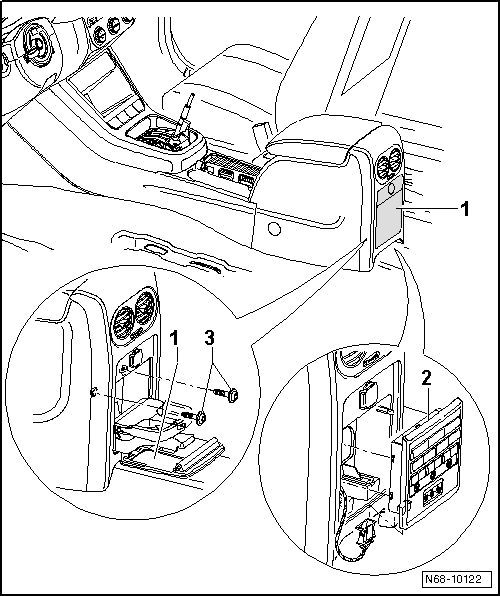
Remove control panel (2)Rep. gr.91.
Open cup holder (1) and remove the two bolts (3) (1.5 Nm).
Close drinks holder again.
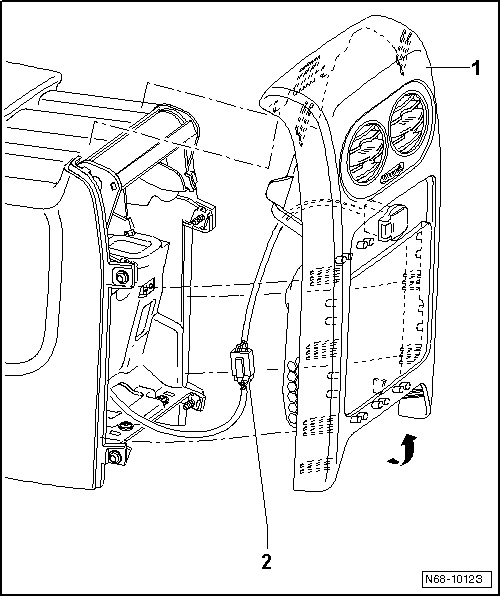
Pull lower section of trim (1) out of mountings (arrow).
Disconnect connector (2).
Take upper section of trim out of mountings in centre console.
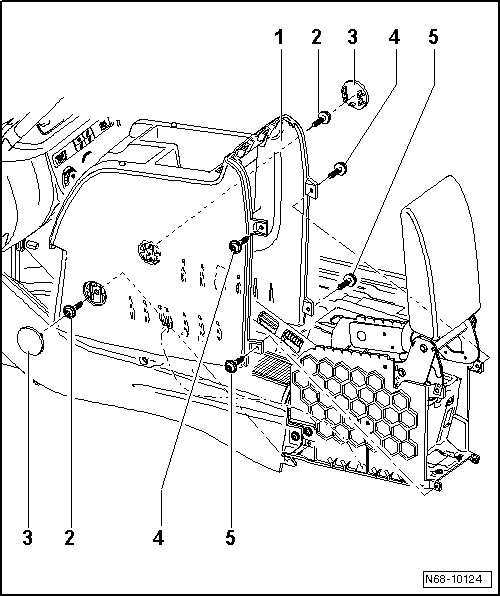
Remove the two caps (3).
Remove two bolts each (4), (5) and (2) (1.5 Nm).
Note
- When installing, screw in the 2 bolts respectively in the following order: (2), (5) and (4) (1.5 Nm).
Release lower end of extension (1) from fasteners.
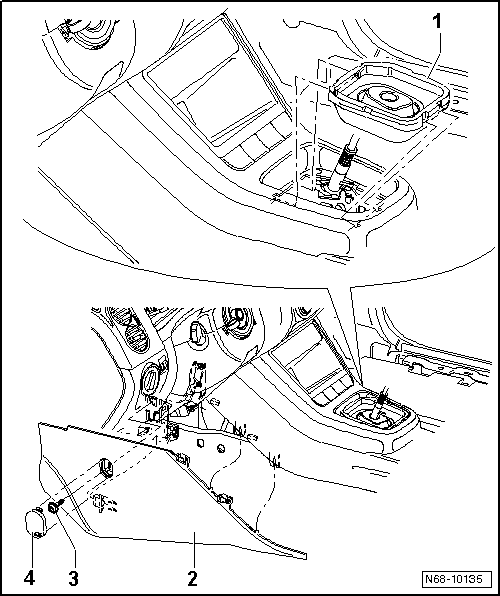
Release selector insulation (1) from centre console.
Unclip cover (4) from trim using a small screwdriver.
Remove bolt (3) (1.5 Nm).
Pull left footwell trim (2) out of mountings.
Note
- Removal of right footwell trim is identical.
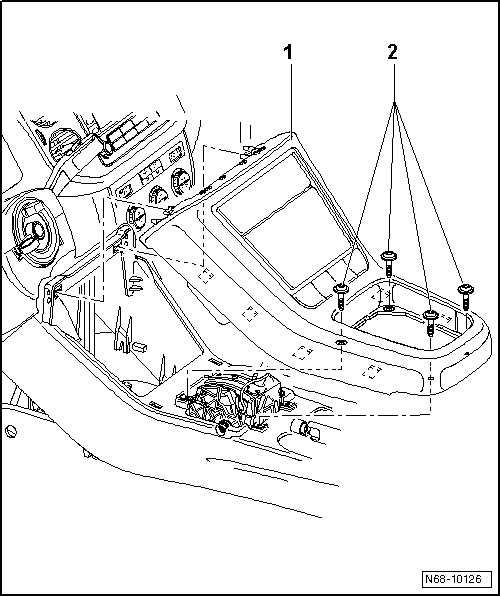
Remove the four bolts (2) (1.5 Nm).
Pull front centre console cover (1) out of front mountings in centre console.
Depending on vehicle equipment level, disconnect wiring harness connectors.
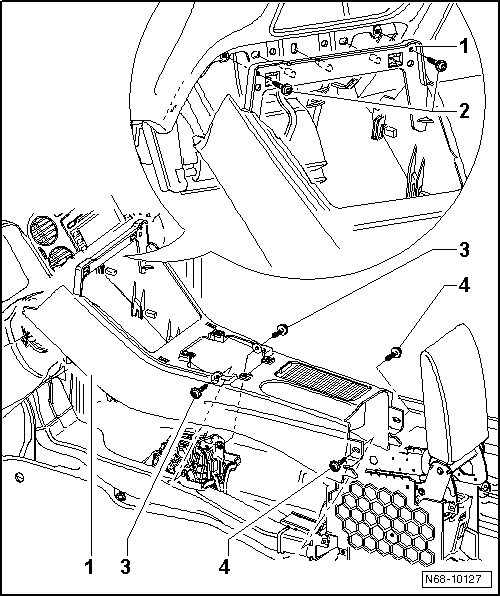
Remove two bolts each (3), (4) and (2) (1.5 Nm).
Note
- When installing, screw in the 2 bolts respectively in the following order: (2), (4) and (3) (1.5 Nm).
Remove centre console (1) from vehicle.
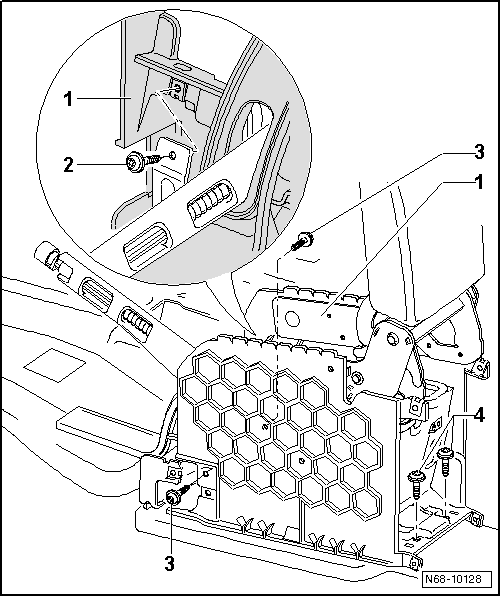
Remove two bolts each (4), (2) and (3) (1.5 Nm).
Note
- When installing, screw in the 2 respectively in the following order: (3), (2) and (4) (1.5 Nm).
Remove centre console trim carrier (1) from vehicle.
Parts & tools for this job For 2005 Volkswagen Golf
- TOOLTrim removal tool kitSearch: trim removal tool kit
- PARTTouch-up paintSearch: Volkswagen touch up paint
- PARTPanel clip assortmentSearch: Volkswagen panel clips assortment
As an Amazon Associate we earn from qualifying purchases.