
Battery A - remove and install
- Make
- Volkswagen
- Model
- Up! Brazil-market up!
- Year
- 2014–2021
- Section
- Battery › Battery A - remove and install
Battery A - remove and install
Warning Risk of injuries! Observe all safety instructions and warnings!
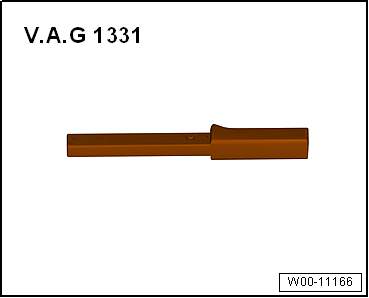
Turn off the ignition, all the electrical devices, and remove the key from ignition.
Disconnect the Battery AChapter .
Loosen and remove the fastening bolt (1) from the locating plate (2).
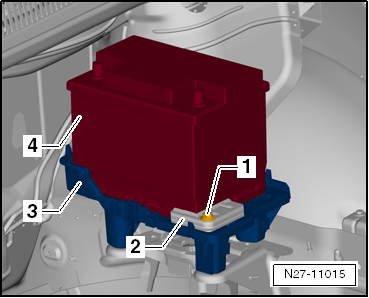
Remove the Battery A(4) from its housing.
Warning Improperly installed batteries present the following risks:
- Reduced service life due to vibration damages (risk of explosions).
- Damages to battery plates.
- Damage to the battery housing via the fastening frame (potential electrolyte leakage; highly expensive).
- Insufficient safety against collisions.
Installation is carried out by reversing the removal sequence, considering the following:
Install the Battery A(4) so that the base frame of the Battery A fits below the console projections (3)
The location plate (2) must be placed and bolted using the fastening bolt (1).
Tighten the fastening bolt (1) to the tightening torque specified in the assembly overview section. Chapter.
Install support and fuse box.
Connect the Battery A.Chapter.
After installation, check the correct Battery A fastening. If the Battery A is not firmly fastened, the following may happen:
The Battery A service life may be reduced due to vibration.There may be damage to the Battery's Acase.Safety issues in case of collision.Parts & tools for this job For 2014 Volkswagen Up!
- TOOLBattery testerSearch: car battery tester
- TOOLDigital multimeterSearch: automotive digital multimeter
- TOOLBattery terminal cleanerSearch: battery terminal cleaner
As an Amazon Associate we earn from qualifying purchases.