
Battery Console A - remove and install
- Make
- Volkswagen
- Model
- Up! Brazil-market up!
- Year
- 2014–2021
- Section
- Battery › Battery Console A - remove and install
Battery Console A - remove and install
Special tools and workshop equipment required"Torque wrench - 5 to 50 Nm (enc. 1/2"")" VAG 1331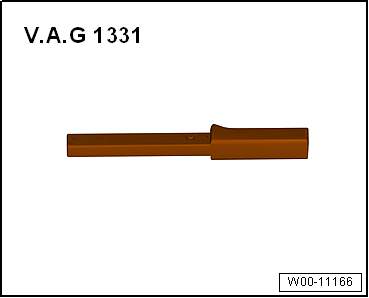
Disconnect and remove the Battery AChapter.
Loosen the fastening bolts (2) and move the engine control unit (1) with the support and connected cable away until there is enough space to remove the battery console A.
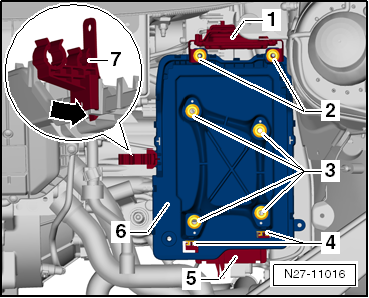
Loosen the fastening nuts (3) .
Release the locks (4) and remove the cable support (5) from above.
Release all refrigerant line support lines (7) .
Pull the locking pawls on the lower side of the support towards the refrigerant lines (arrow) and move the support (7) upwards.
Remove the battery console (6) from the vehicle.
The installation occurs in the reversal sequence of removal, observing the following instructions:
Place the conduit support (5) in the battery console and lock it in place.
Place the battery console (6) in the vehicle and lock the lines inside the conduit support (5) .
Fasten the refrigerant line support lines (7) and lock the support in the battery console (6) .
Install and secure the battery console (6) using the fastening nuts (3) (6 Nm).
Install the engine control unit support (1) in the battery console and tighten the unit support using the fastening nuts (2) (8 Nm).
After installing, check correct seating of the Battery A on its console.
Connect the Battery AChapter
Parts & tools for this job For 2014 Volkswagen Up!
- TOOLBattery testerSearch: car battery tester
- TOOLDigital multimeterSearch: automotive digital multimeter
- TOOLBattery terminal cleanerSearch: battery terminal cleaner
As an Amazon Associate we earn from qualifying purchases.