
Maintenance
- Make
- Aston Martin
- Model
- DB9 Factory Workshop Manual
- Year
- Issue 2, 2005
- Section
- Instrument Cluster › Maintenance
13 Information, gauge and warningMaintenance · page 1 of 2
Maintenance
Driver Information Module (DIM)
| Repair Operation Time (ROT) | |
|---|---|
| Item | Code |
| Driver Information Module (DIM) | TBA |
| Renew | |
Removal
- Disconnect the vehicle battery.
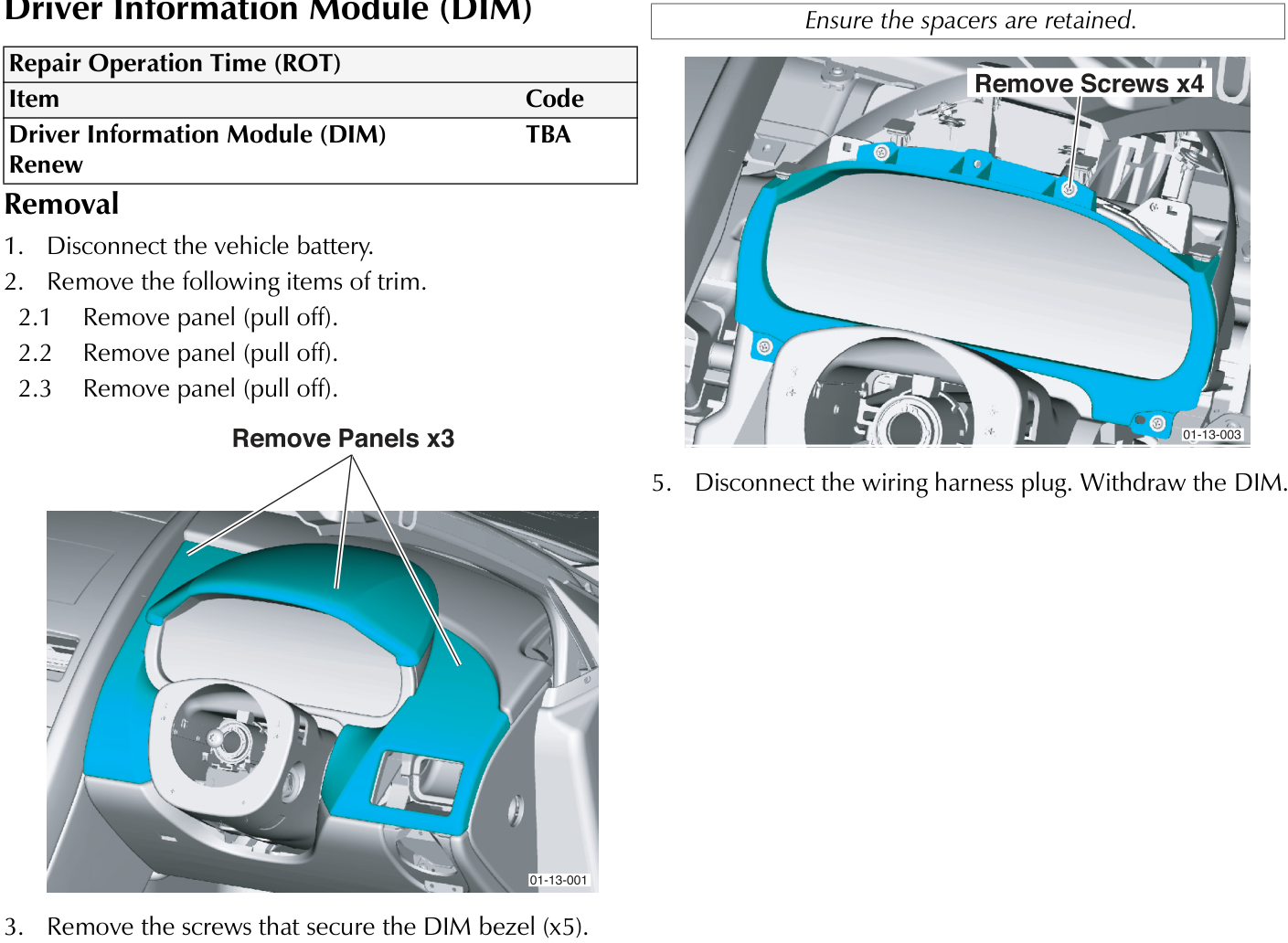
- Remove the following items of trim.
- Remove panel (pull off).
- Remove panel (pull off).
- Remove panel (pull off).
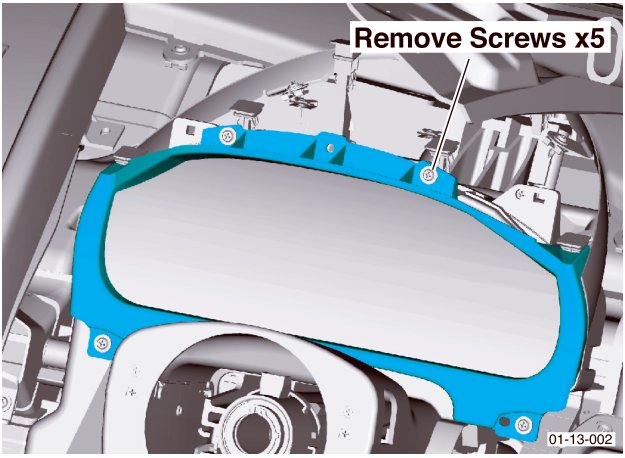
- Remove the screws that secure the DIM bezel (x5). Withdraw the bezel and lay it on the steering column.
The DIM bezel is attached to the leather trim.
- Remove the screws (x4) that secure the DIM. Withdraw the DIM to the extent of the wiring harness.
Ensure the spacers are retained.
- Disconnect the wiring harness plug. Withdraw the DIM.
Parts & tools for this job For 2005 Aston Martin DB9
- PARTOil filterSearch: Aston Martin DB9 2005 oil filter
- TOOLOil filter wrenchSearch: oil filter wrench
- FLUIDEngine oilSearch: Aston Martin DB9 engine oil
Links open Amazon search results in a new tab. As an Amazon Associate I earn from qualifying purchases.