
Battery System: Specifications
- Make
- Aston Martin
- Model
- DB9 Factory Workshop Manual
- Year
- Issue 2, 2005
- Section
- Battery System › Specifications
Specifications
| Torque Figures | Nm. | lb. / ft. | |
|---|---|---|---|
| Battery Compartment Cover | 9 | 7 | |
| Battery clamp | 9 | 7 | |
| Battery Terminals | 9 | 7 | |
Maintenance
Battery
| Repair Operation Time (ROT) | |
|---|---|
| Item | Code |
| Battery Renew | 14.01.AB |
Removal
- Power the drivers seat forward.
- Remove the RH rear seat to reveal the battery compartment.
The rear trim ¼ panel may need to be removed to gain access to the battery compartment lid bolts.
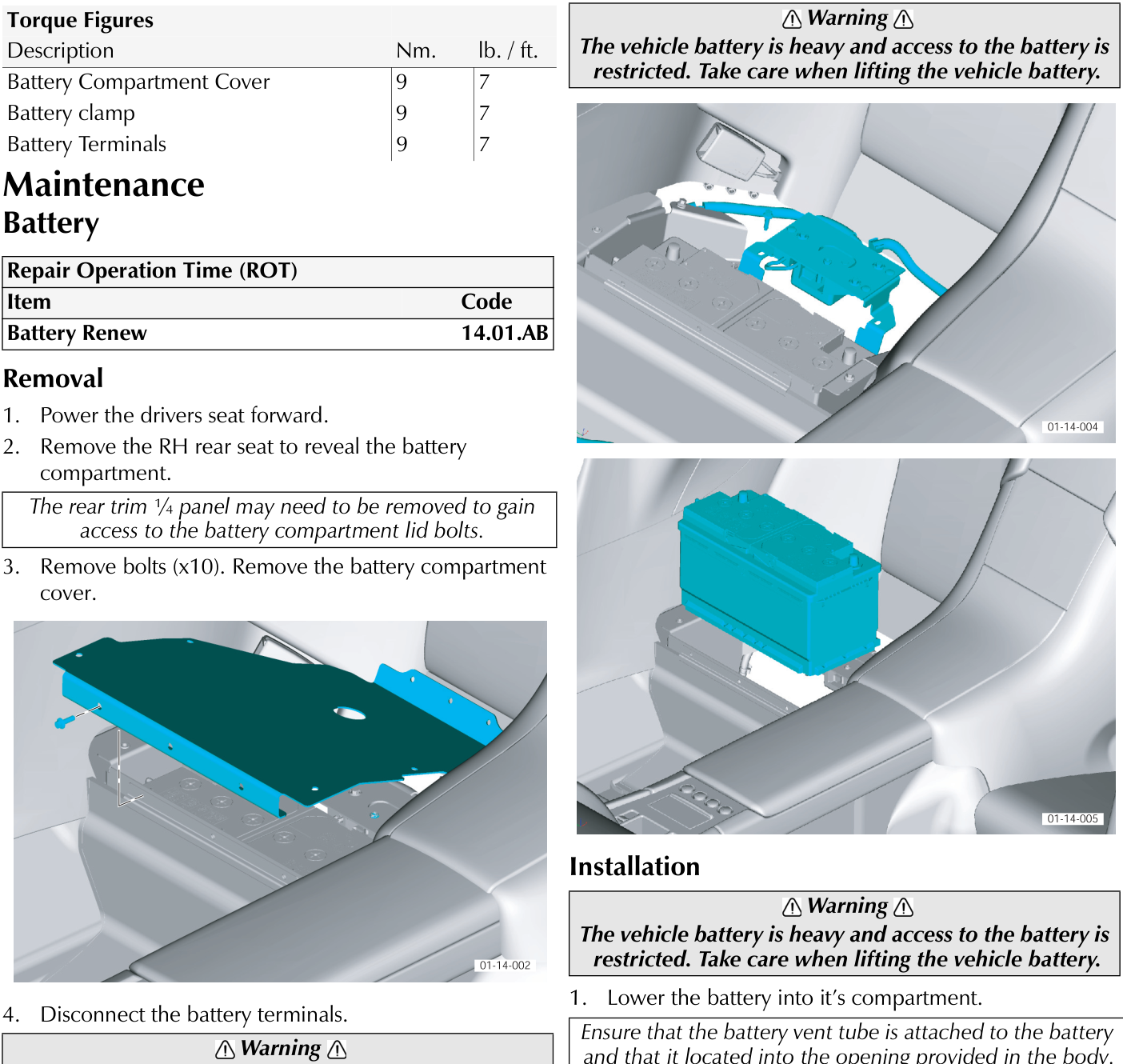
- Remove bolts (x10). Remove the battery compartment cover.
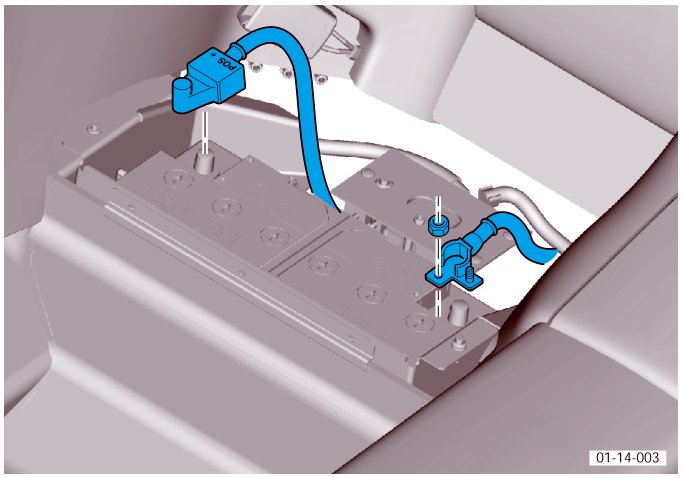
- Disconnect the battery terminals.
⚠ Warning ⚠
Always disconnect the earth (- ve) terminal first.
- Remove the battery clamp. Disconnect battery vent tube and pull the battery from the compartment.
⚠ Warning ⚠
The vehicle battery is heavy and access to the battery is restricted. Take care when lifting the vehicle battery.
Installation
⚠ Warning
The vehicle battery is heavy and access to the battery is restricted. Take care when lifting the vehicle battery.
- Lower the battery into it's compartment.
Ensure that the battery vent tube is attached to the battery and that it located into the opening provided in the body.
F3 Clamp the battery. Torque bolts to 9 Nm.
Ensure that the battery vent tube is not distorted by the battery.
⚠ Warning
Always connect the earth (- ve) terminal last.
- Install the battery terminals. Torque to 9 Nm.
- Install the battery compartment cover. Torque bolts to 9 Nm.
- Install the rear seat base.
- Reposition the drivers seat.
Parts & tools for this job For 2005 Aston Martin DB9
- TOOLBattery testerSearch: car battery tester
- TOOLDigital multimeterSearch: automotive digital multimeter
- TOOLBattery terminal cleanerSearch: battery terminal cleaner
Links open Amazon search results in a new tab. As an Amazon Associate I earn from qualifying purchases.