
Removing and installing rear brake cables
- Make
- SEAT
- Model
- Alhambra
- Year
- 2010–2020
- Section
- Brake system: › Removing and installing rear brake cables
Removing and installing rear brake cables
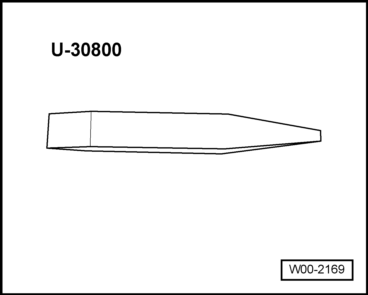
- Lever U30800
Put the hand brake lever in the rest position, downwards.
Remove the front centre armrest front centre arm rest; Removing and installing front centre armrest.
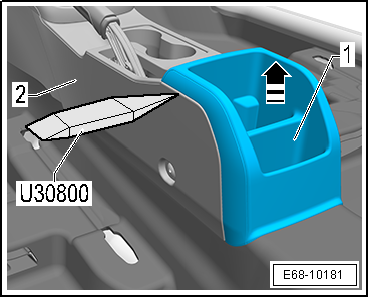
Remove oddments tray (1) on the central console (2) with the lever U30800.
Loosen the adjustment nut (1) until the handbrake cable (2) can be removed from the compensator.
Loosen the handbrake cable (1) out of the holder (2) and take it out of the guide rail (3).
Hang out the handbrake cable (1) from the lever on the brake calliper (2).
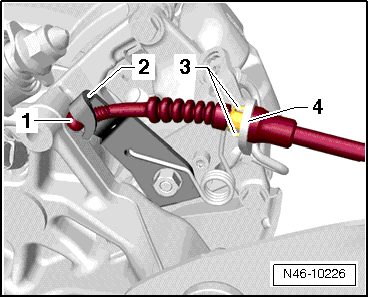
Press the tabs (3) together and remove the handbrake cable from the holder (4) on the brake calliper.
Unfasten the retaining clips (1) and pull cable in (direction of arrow).
Disconnect the retaining cable (1) and remove in (direction of arrow).
Installation is carried out in the reverse sequence; note the following:
Note
- Apply the handbrake before installing the front central armrest or the rear oddments tray.
Adjust handbrake Chapter “Adjusting parking brake”.
- Front centre armrest; Assembly overview - front centre armrest
Parts & tools for this job For 2010 SEAT Alhambra
- PARTBrake padsSearch: SEAT Alhambra 2010 brake pads
- TOOLBrake bleeder kitSearch: one man brake bleeder kit
- FLUIDBrake fluidSearch: brake fluid
As an Amazon Associate we earn from qualifying purchases.