
Remove the holder for the signal input:
- Make
- SEAT
- Model
- Leon Mk2
- Section
- Radio, Telephone, Navigation › Remove the holder for the signal input:
‹ Prev Overview of the „multimedia control unit“Next › Multimedia control unit J650: Removing and installing
InfotainmentRemove the holder for the signal input:
Remove the holder for the signal input:
- Lever A 71101
- Lever T20189
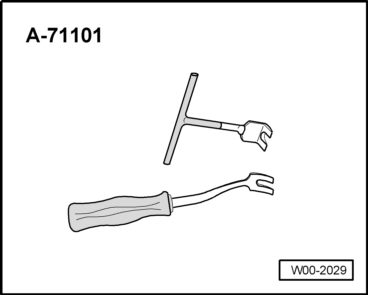
Place the tool A-71101 or T20189 into the intended opening, as shown in the figure.
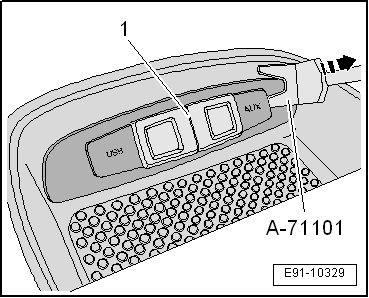
Press the tool in the direction of the cover and remove in (the direction of the arrow); in the process, take special care not to scratch the cover and remove the module (1).
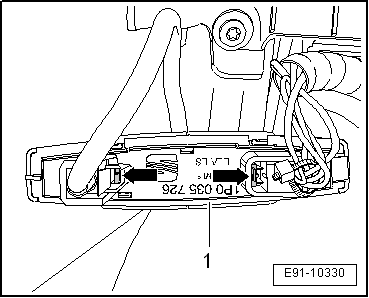
Turn the connecting module (1 ) around, the image has been made outside the centre console.
Unlock the connector (arrow) of the USB and remove the AUX connector (arrow).
‹ Prev Overview of the „multimedia control unit“Next › Multimedia control unit J650: Removing and installing
Parts & tools for this job For SEAT Leon
- TOOLTorque wrenchSearch: 3/8 inch torque wrench
- TOOLSocket setSearch: socket set metric
- BOOKHaynes manualSearch: Haynes manual SEAT Leon
As an Amazon Associate we earn from qualifying purchases.