
Removing and installing reversing camera
- Make
- Volkswagen
- Model
- Golf Mk6
- Section
- Reversing camera › Removing and installing reversing camera
Removing and installing reversing camera
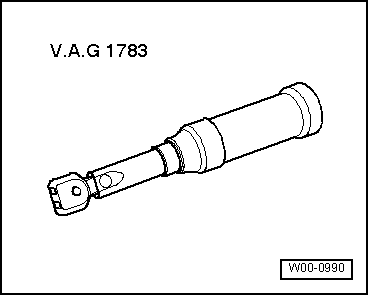
Torque wrench V.A.G 1783
Remove swivel badge with reversing camera housing and swivel motor from rear lid → Chapter.
Removing reversing camera with swivel motor from swivel badge → Chapter.
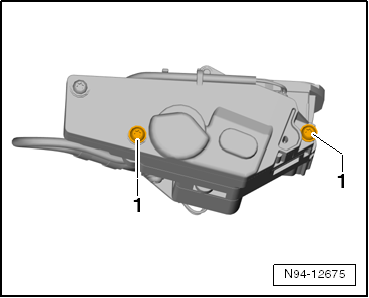
Unscrew bolts (1).
Carefully separate reversing camera housing from swivel motor.
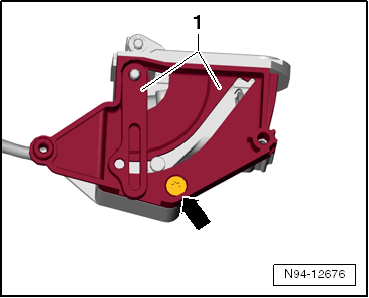
Undo screw (arrow). Remove mounting plate (1).
Remove reversing camera with support from housing.
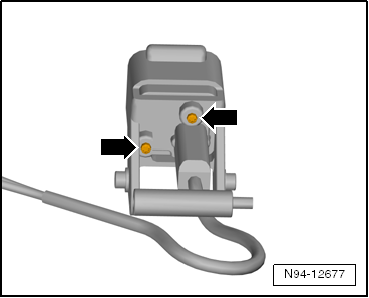
Unscrew bolts (arrows) and remove camera from support.
Install in the reverse order of removal. When doing this, note the following:
Ensure that release lever and sliding surfaces of swivel motor are greased sufficiently.
Carefully connect reversing camera housing and swivel motor to each other.
Screw in the two securing bolts and tighten to 1.6 Nm.
Clip swivel motor wire into wire guide behind camera.
Installing reversing camera housing with swivel motor into release element → Chapter.
Parts & tools for this job For Volkswagen Golf
- TOOLDigital multimeterSearch: automotive digital multimeter
- PARTAssorted fuse kitSearch: car fuse assortment kit
- TOOLWire crimper and connector kitSearch: wire crimper connector kit
As an Amazon Associate we earn from qualifying purchases.