
Cruise Control Module: Locations (page 2 of 4)
- Make
- Acura (Honda)
- Model
- ZDX
- Engine
- V6-3.7L
- Year
- 2010
- Section
- Cruise Control Module
Cruise Control Module: Testing and Inspection
ACC Unit Update
Special Tools Required
-
Honda Diagnostic System (HDS) tablet tester
-
Honda Interface Module (HIM) and an iN workstation with the latest HDS software version
-
HDS Pocket Tester
-
GNA600 and an iN workstation with the latest HDS software version
Available through the Acura Tool and Equipment Program 888-424-6857
Any one of the above updating tools can be used.
NOTE:
-
Use this procedure anytime you need to update the ACC unit.
-
Make sure the HDS/iN workstation has the latest HDS software version.
-
Before you update the ACC unit, make sure the battery in the vehicle is fully charged.
-
Never press the engine start/stop button to select the OFF or ACC mode, during the update. If there is a problem with the update, press the engine
start/stop button to select the ON mode.
-
To prevent ACC unit damage, do not operate anything electrical (headlights, audio system, brakes, A/C, power windows, moonroof, door locks,
etc.) during the update.
-
To ensure the latest program is installed, do an ACC unit update whenever the ACC unit is replaced.
-
You cannot update an ACC unit with a program it already has. It will only accept a new program.
-
If you need to diagnose the HIM because the HIM's red (#3) light came on or was flashing during the update, press the engine start/stop button to
select the ON mode when you disconnect the HIM from the data link connector (DLC). This will prevent ACC unit damage.
-
DTCs stored in memory are cleared when the ACC unit is updated.
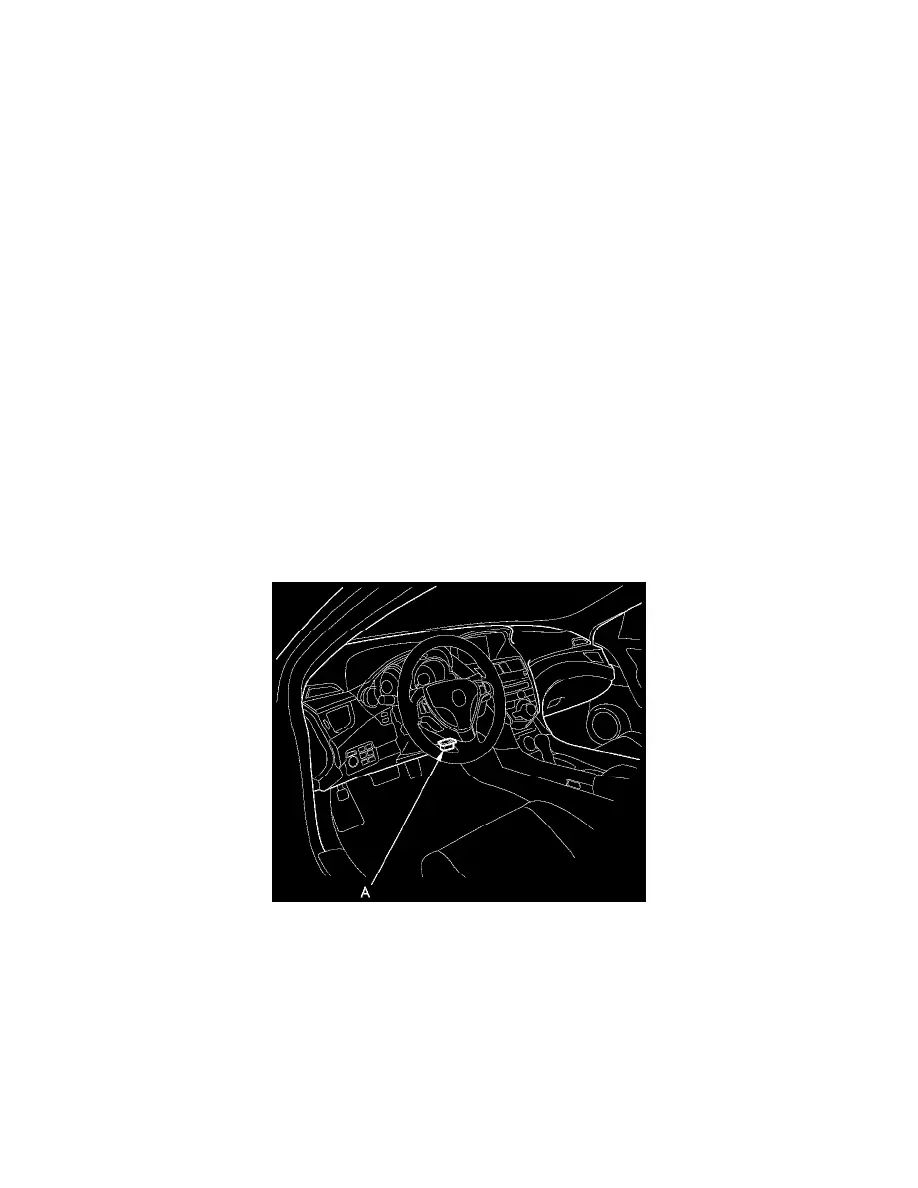
1. Press the engine start/stop button to select the OFF mode, and connect the HDS (Honda Diagnostic System) to the data link connector (DLC) (A)
located under the driver's side of the dashboard.
2. Press the engine start/stop button to select the ON mode, but do not start the engine.
3. Make sure the HDS communicates with the vehicle and the ACC unit. If it does not communicate, troubleshoot the DLC circuit See: Powertrain
Management/Computers and Control Systems/Testing and Inspection/Component Tests and General Diagnostics/DLC Circuit Troubleshooting.
4. Select the update program, and follow the screen prompts to update the ACC unit.
5. If the software in the ACC unit is the latest, disconnect the HDS/HIM from the DLC, and go back to the procedure that you were doing. If the
software in the ACC unit is not the latest, follow the instructions on the screen.
NOTE: If you run into a problem during the update procedure (programming takes over 15 minutes, status bar goes over 100 %, D or immobilizer light
flashes, HDS tablet freezes, etc.), follow these steps to minimize the chance of damaging the ACC unit:
Pinch or Ctrl + scroll to zoom. Double-tap to reset.
The same page in: ZDX V6-3.7L (2010), ZDX V6-3.7L (2010).
Parts & tools for this job For 2010 Acura ZDX 3.7L
- TOOLOBD2 scannerSearch: OBD2 scanner
- TOOLDigital multimeterSearch: automotive digital multimeter
- TOOLBack-probe test leadsSearch: back probe test leads
Links open Amazon search results in a new tab. As an Amazon Associate I earn from qualifying purchases.