
Installation
- Make
- Aston Martin
- Model
- DB9 Factory Workshop Manual
- Year
- Issue 2, 2005
- Section
- Clutch Assembly › Installation
08 ClutchInstallation · page 1 of 2
- Remove the flywheel.
⚠ Warning
The flywheel is heavy. Ensure flywheel is supported before removing.
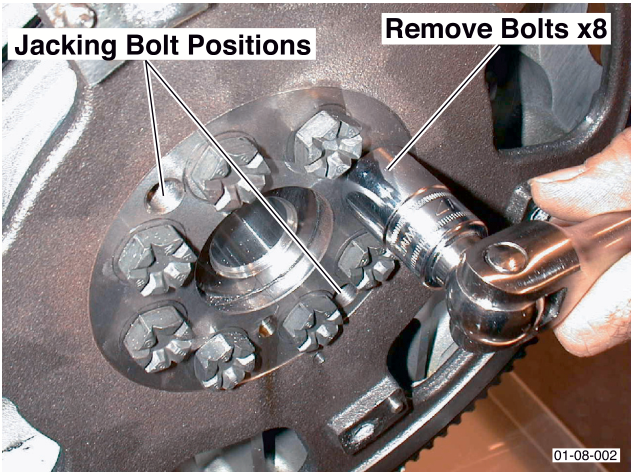
- Insert bolts into the bolt holes (x2) provided.
- Remove bolts (x6).
- Using the inserted bolts 'Jack' the flywheel off the crankshaft.
- Discard the bolts.
Installation
- If the new clutch assembly is bolted to the flywheel, remove the new clutch assembly from flywheel. Note position of clutch assembly to flywheel.
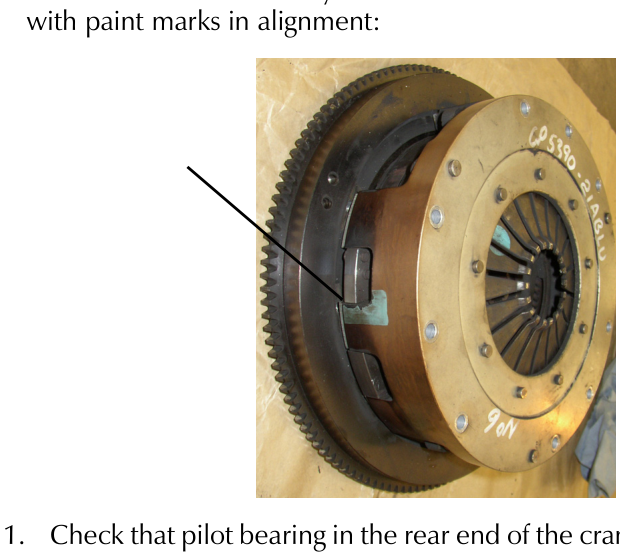
- If the new clutch assembly is not assembled - assemble with paint marks in alignment:
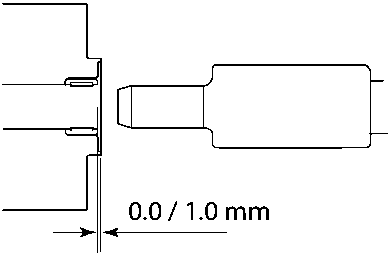
- Check that pilot bearing in the rear end of the crankshaft is 0.0-1.0 mm below the crankshaft end face.
- Install the crankshaft holding tool (Refer to '303-1047 (Crankshaft Holding)', page 20-1-6) to prevent crankshaft turning.
- Install the flywheel.
- Using a suitable support surface under the flywheel, offer the flywheel to the crankshaft. Locate the flywheel onto the crankshaft dowel.
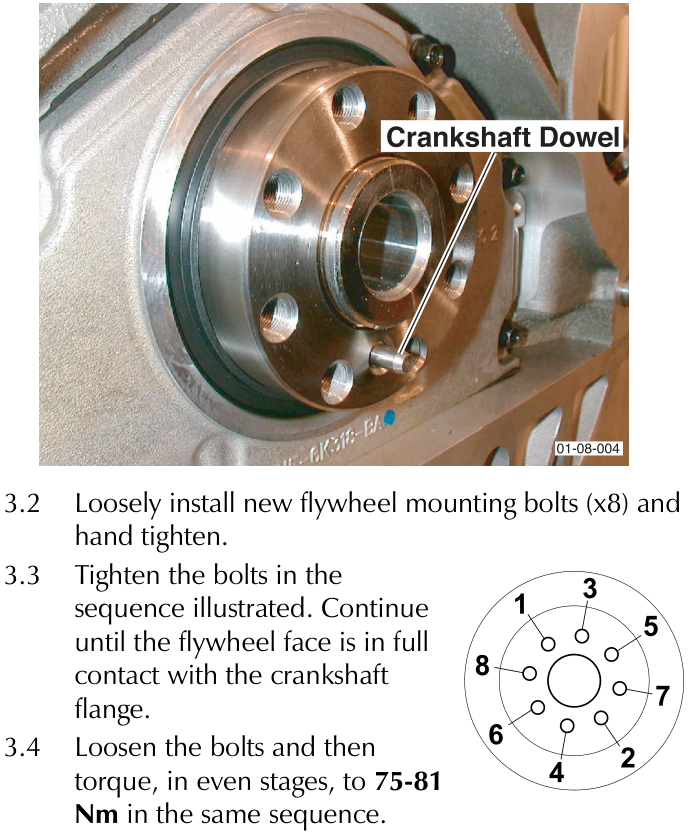
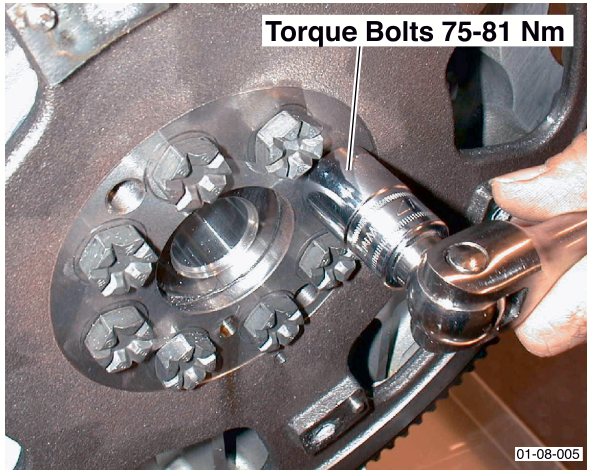
- Loosely install new flywheel mounting bolts (x8) and hand tighten.
- Tighten the bolts in the sequence illustrated. Continue until the flywheel face is in full contact with the crankshaft flange.
- Loosen the bolts and then torque, in even stages, to 75-81 Nm in the same sequence.
Parts & tools for this job For 2005 Aston Martin DB9
- PARTClutch kitSearch: Aston Martin DB9 2005 clutch kit
- TOOLClutch alignment toolSearch: clutch alignment tool
- FLUIDGear oilSearch: Aston Martin DB9 manual gearbox oil
Links open Amazon search results in a new tab. As an Amazon Associate I earn from qualifying purchases.