
Install (page 2 of 4)
- Make
- Aston Martin
- Model
- V8 Vantage Factory Workshop Manual
- Year
- 2005–2010
- Section
- Power Steering
11 SteeringInstall · page 2 of 4
- At the left side, install the track rod end onto the front wheel knuckle, and install and torque the nut.
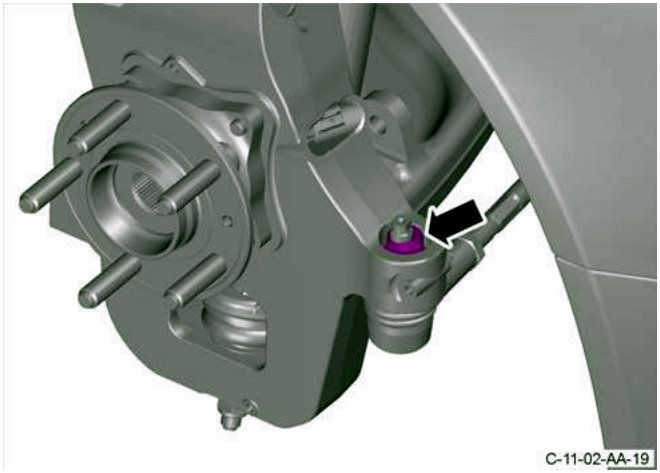
Figure 31
- Install and tighten the front bolt that attaches the brake backplate to the front wheel knuckle.
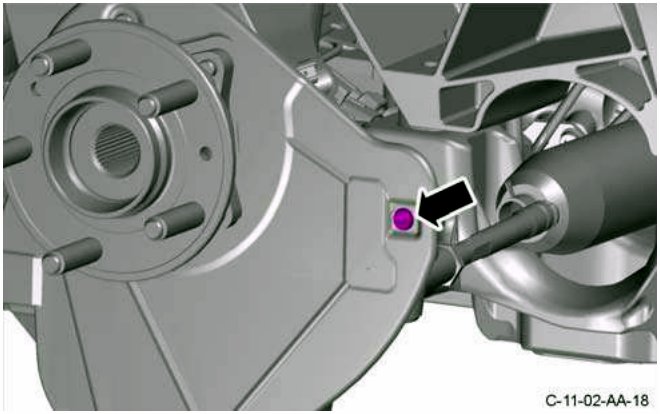
Figure 32
- Install the brake disc.
- Install and tighten the two screws that attach the brake disc to the wheel hub.
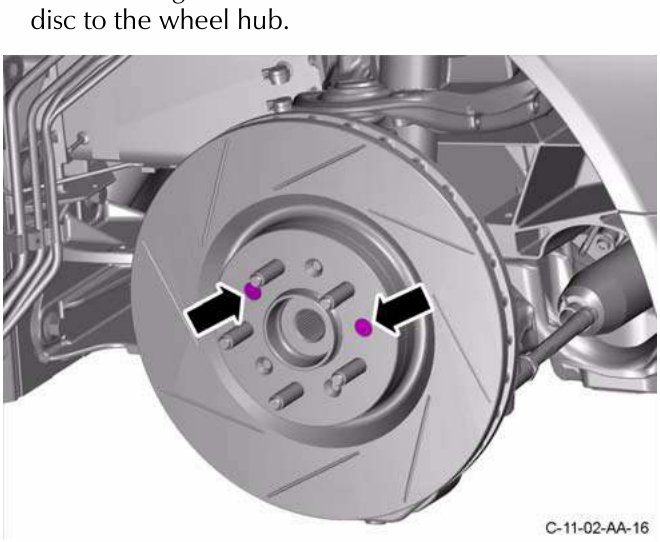
Figure 33
- Remove and discard the cable tie to release the brake caliper.
- Put the brake caliper in position on the front wheel knuckle.
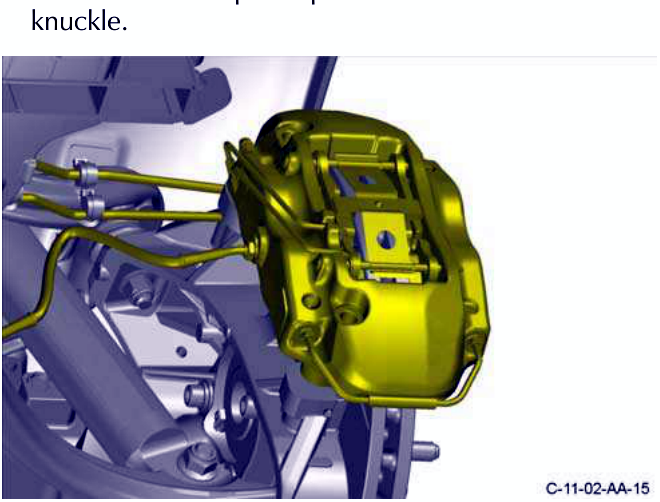
Figure 34
- Install and tighten the two new bolts that attach the brake caliper to the front wheel knuckle.
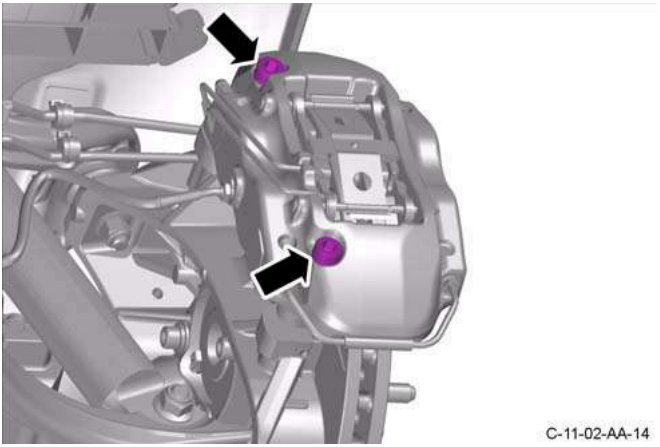
Figure 35
- Do steps 9 to 15 for the right side.
- Install the pinion coupling.
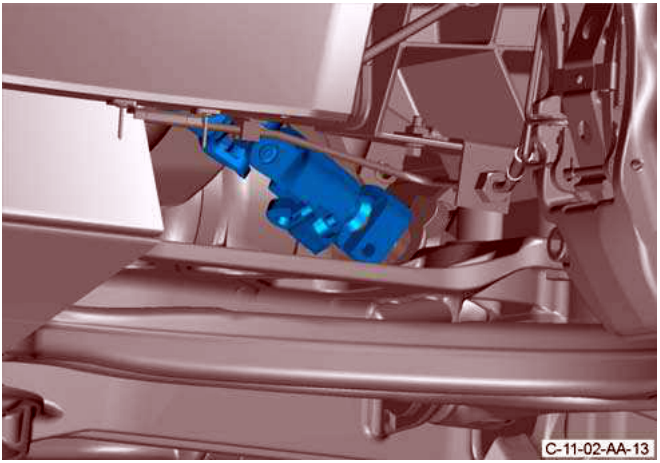
Figure 36
- Turn the steering to get access to install the bolt that attaches the pinion coupling to the PAS rack.
- Install and torque the bolt that attaches the pinion coupling to the PAS rack.
Parts & tools for this job For 2005 Aston Martin V8 Vantage
- TOOLTie rod end toolSearch: tie rod end puller
- TOOLBall joint separatorSearch: ball joint separator
- FLUIDPower steering fluidSearch: Aston Martin power steering fluid
Links open Amazon search results in a new tab. As an Amazon Associate I earn from qualifying purchases.