
Removing and installing glove compartment light switch E26
- Make
- Audi
- Model
- TT Mk1
- Year
- 1998–2006
- Section
- Switches › Removing and installing glove compartment light switch E26
‹ Prev Removing and installing headlight range control regulator E102Next › Removing and installing switches in front centre console
Electrical systemRemoving and installing glove compartment light switch E26
Removing and installing glove compartment light switch E26
Special tools and workshop equipment requiredFront-end hook 3370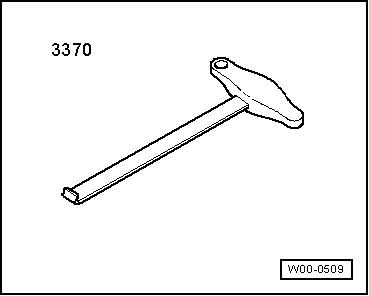
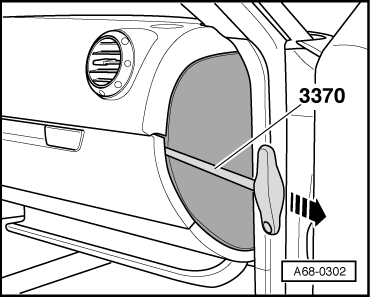
Turn light switch to position “0”.
Open glove box if necessary.
Pry off cover (right-side) on dash panel (arrow) using front-end hook 3370.
Squeeze both release tabs together (arrows 1) and pull glove compartment light switch E26 out of guide on glove box in direction of travel (arrow 2).
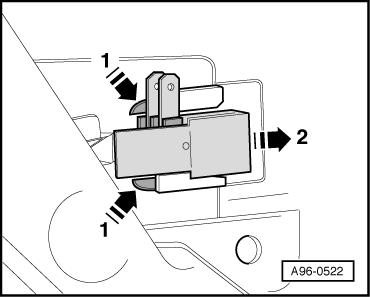
Unplug the electrical connectors.
Install in reverse order.
‹ Prev Removing and installing headlight range control regulator E102Next › Removing and installing switches in front centre console
Parts & tools for this job For 1998 Audi TT
- TOOLOBD2 scannerSearch: OBD2 scanner
- TOOLDigital multimeterSearch: automotive digital multimeter
- TOOLBack-probe test leadsSearch: back probe test leads
As an Amazon Associate we earn from qualifying purchases.