
Removing and installing CD changer R41
- Make
- SEAT
- Model
- Alhambra
- Year
- 2010–2020
- Section
- Communication › Removing and installing CD changer R41
InfotainmentRemoving and installing CD changer R41
Removing and installing CD changer R41
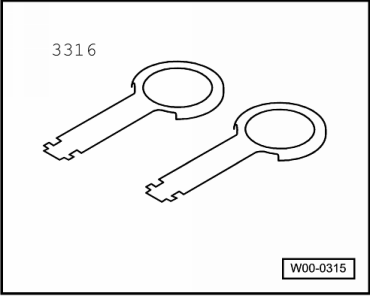
- Radio release tool 3316
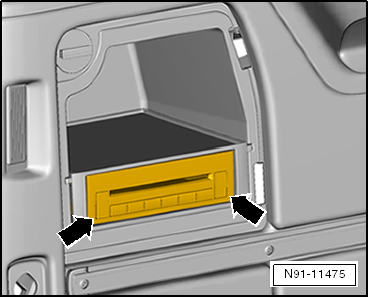
Switch off the ignition and all the electrical components.
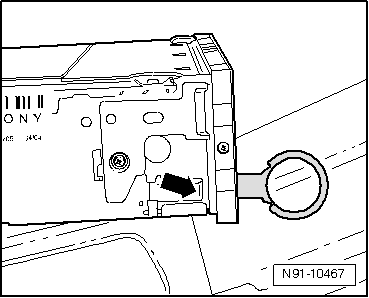
Insert radio release tools 3316 ( arrows) into slot in CD changer R41 until tools engage.
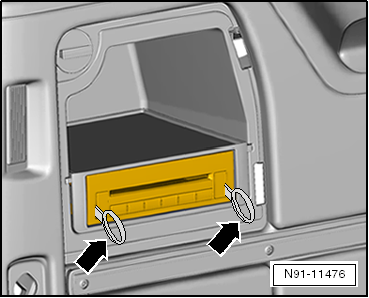
Use release tools to pull DVD changer R41 out of the mounting frame in (direction of arrow).
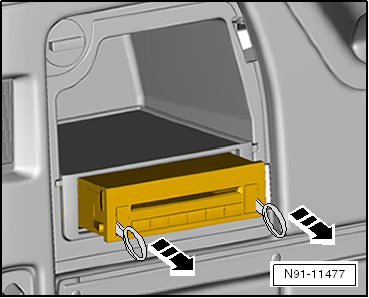
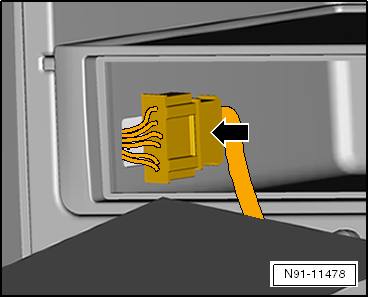
Detach connector (arrow) in wiring harness of CD changer R41.
Press the snap tabs (arrow) and pull radio release tools 3316 out of unit.
Installation is carried out in the reverse order.
Parts & tools for this job For 2010 SEAT Alhambra
- TOOLTorque wrenchSearch: 3/8 inch torque wrench
- TOOLSocket setSearch: socket set metric
- BOOKHaynes manualSearch: Haynes manual SEAT Alhambra
As an Amazon Associate we earn from qualifying purchases.