
Removing and installing multimedia control unit J650 (MDI) / mobile telephone operating electronics control unit J412 (U
- Make
- SEAT
- Model
- Alhambra
- Year
- 2010–2020
- Section
- Communication › Removing and installing multimedia control unit J650 (MDI) / mobile telephone operating electronics control unit J412 (U
Removing and installing multimedia control unit J650 (MDI) / mobile telephone operating electronics control unit J412 (UMI)
Note
- There are two versions from 05.2013 onwards:
Versions without telephone system/mobile phone preparation: Multimedia control unit J650 (MDI)
Versions with telephone system/mobile phone preparation: mobile telephone operating electronics control unit J412 (UMI)
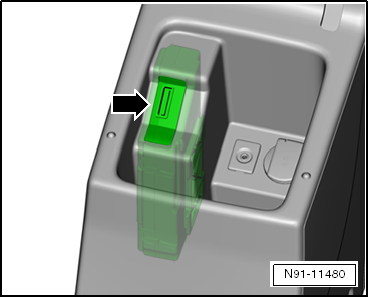
Switch off the ignition and all the electrical components.
The multimedia control unit J650 (MDI) / mobile telephone operating electronics control unit J412 (UMI) (arrow) is located in the centre console extension under the hinged armrest.
Remove centre console extension Compartments, covers and trims; Removing and installing centre console extension.
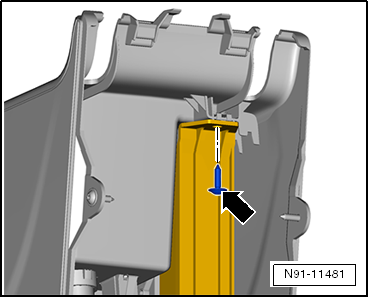
Loosen top screw (arrow) of mounting frame of Multimedia control unit J650 (MDI) / mobile telephone operating electronics control unit J412 (UMI).
Pull the multimedia control unit J650 (MDI) / mobile telephone operating electronics control unit J412 (UMI) (arrow) out of the mounting frame in the centre in (direction of arrow).
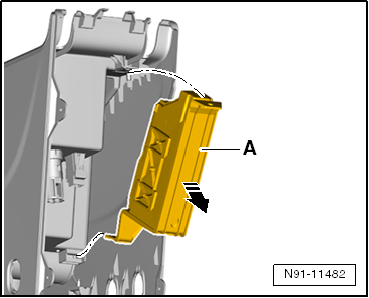
Disconnect wiring.
Installation is carried out in the reverse order.
Parts & tools for this job For 2010 SEAT Alhambra
- TOOLTorque wrenchSearch: 3/8 inch torque wrench
- TOOLSocket setSearch: socket set metric
- BOOKHaynes manualSearch: Haynes manual SEAT Alhambra
As an Amazon Associate we earn from qualifying purchases.