
Removing and installing telephone, navigation system and auxiliary heater aerial R66
- Make
- SEAT
- Model
- Alhambra
- Year
- 2010–2020
- Section
- Communication › Removing and installing telephone, navigation system and auxiliary heater aerial R66
‹ Prev Removing and installing left aerial module R108 / right aerial module R109Next › Renewal of aerial wiring
InfotainmentRemoving and installing telephone, navigation system and auxiliary heater aerial R66
Removing and installing telephone, navigation system and auxiliary heater aerial R66
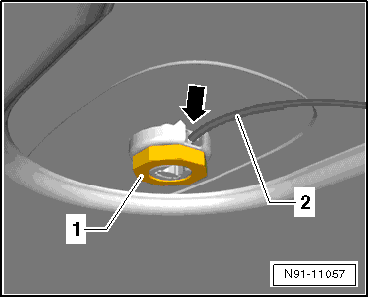
Switch off the ignition and all the electrical components.
Remove moulded headliner, trim/sound insulation; roof trim; removal and installation of moulded headliner
Undo nut (1) and pull cable (2) out of the niche (arrow).
Note
- Several connectors may be installed here depending on the aerial version.
Pull the telephone, navigation system and auxiliary heater aerial R66 upwards.
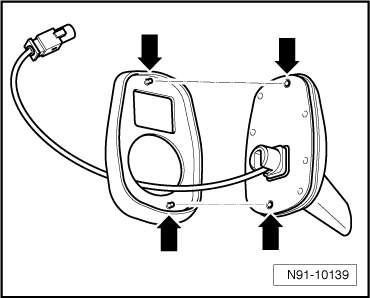
Installation is carried out in reverse order from removal, when observing the following:
Note
- telephone, navigation system and auxiliary heater aerial R66, ensure seal is seated correctly. Both of the pins of the seal must engage with the openings (arrows) of the base of the telephone, navigation system and auxiliary heater aerial R66.
- telephone, navigation system and auxiliary heater aerial R66, make sure that the aerial cable (2)goes through the opening (arrow) properly.
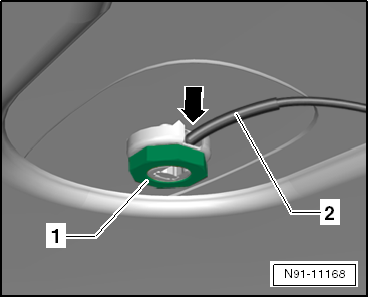
- Several connectors may be installed here depending on the aerial version.
‹ Prev Removing and installing left aerial module R108 / right aerial module R109Next › Renewal of aerial wiring
Parts & tools for this job For 2010 SEAT Alhambra
- TOOLA/C manifold gauge setSearch: AC manifold gauge set
- TOOLUV leak detection kitSearch: AC UV leak detection kit
- PARTCabin filterSearch: SEAT Alhambra 2010 cabin filter
As an Amazon Associate we earn from qualifying purchases.