
Removing and installing multifunctional buttons on steering wheel, to left E440 / multifunctional buttons on steering wh
- Make
- SEAT
- Model
- Alhambra
- Year
- 2010–2020
- Section
- Communication › Removing and installing multifunctional buttons on steering wheel, to left E440 / multifunctional buttons on steering wh
‹ Prev Steering wheel control unit: removing and installingNext › Removing and installing Tiptronic switch on steering wheel for shifting to a lower gear E439 / Tiptronic switch on steer
InfotainmentRemoving and installing multifunctional buttons on steering wheel, to left E440 / multifunctional buttons on steering wh
Removing and installing multifunctional buttons on steering wheel, to left E440 / multifunctional buttons on steering wheel, to right E441
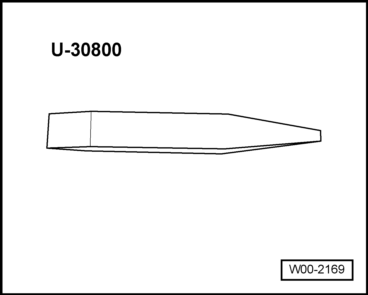
- Lever U30800
Note
- Removal and installation is identical for left and right sets of buttons.
Warning
The instructions in the repair manual for disconnecting and connecting the battery must be followed
Switch off the ignition and all the electrical components.
Remove driver airbag Airbag; Removing and installing driver airbag.
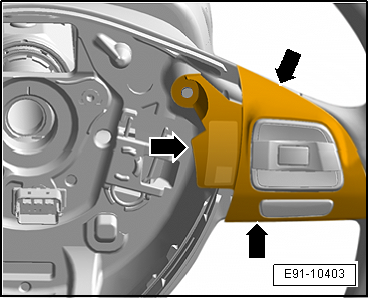
Remove radio operation elements (1) by prying out with lever U30800 all around (arrows).
Remove keypad.
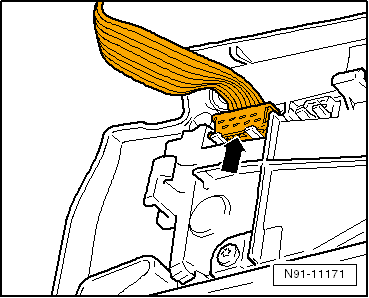
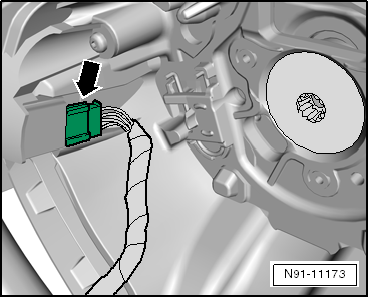
Detach connector (arrow) from keypad.
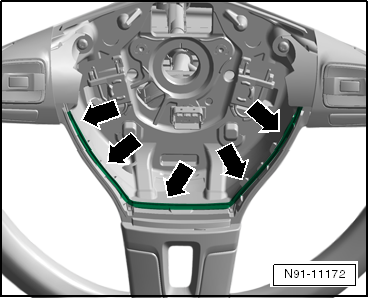
Installation is carried out in reverse order from removal, when observing the following:
Note
- (arrows).
- (arrow) is inserted.
‹ Prev Steering wheel control unit: removing and installingNext › Removing and installing Tiptronic switch on steering wheel for shifting to a lower gear E439 / Tiptronic switch on steer
Parts & tools for this job For 2010 SEAT Alhambra
- TOOLTie rod end toolSearch: tie rod end puller
- TOOLBall joint separatorSearch: ball joint separator
- FLUIDPower steering fluidSearch: SEAT power steering fluid
As an Amazon Associate we earn from qualifying purchases.