
Removing and installing steering wheel multifunction buttons E441/E440
- Make
- SEAT
- Model
- Leon León
- Year
- 5F, 2012–2020
- Section
- Communication › Removing and installing steering wheel multifunction buttons E441/E440
Removing and installing steering wheel multifunction buttons E441/E440
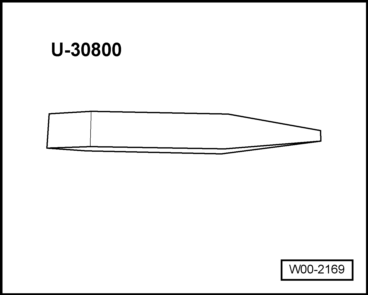
- Lever U30800
Switch off ignition and all electrical consumers, and remove ignition key.
Remove driver airbag Driver airbag; Removing and installing airbag unit with igniter.
Take connecting wires out of their guides in steering wheel.
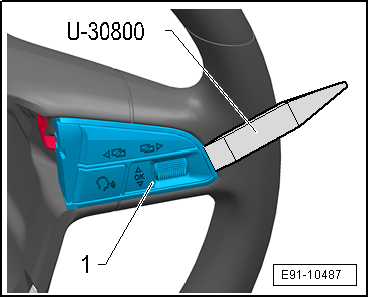
Clip out the multi-function buttons (1) with the wedge U30800 as shown in the figure.
At the same time, pay attention to connectors leading to Tiptronic switches (2).
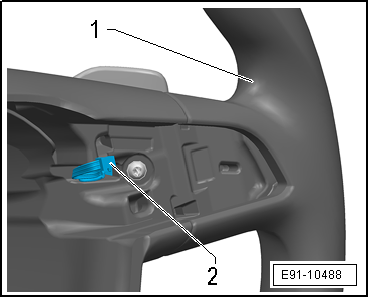
Release and detach the plug connectors of the multi-function buttons.
Installation is carried out in the reverse sequence; note the following:
Ensure connecting wiring (2) for Tiptronic switches is routed as shown in illustration.
Route remaining connecting wiring, including connectors, through guides in steering wheel.
Finally, check again that wiring in steering wheel is correctly routed.
Parts & tools for this job For 2012 SEAT Leon
- TOOLTie rod end toolSearch: tie rod end puller
- TOOLBall joint separatorSearch: ball joint separator
- FLUIDPower steering fluidSearch: SEAT power steering fluid
As an Amazon Associate we earn from qualifying purchases.