
1.CHECK CONDITION - Toyota Hilux AN120/AN130 2015-2018 Workshop Manual
- Make
- Toyota
- Model
- Hilux Toyota Hilux AN120/AN130 2015-2018 Workshop Manual
- Section
- Voice is not Recognized › 1.CHECK CONDITION - Toyota Hilux AN120/AN130 2015-2018 Workshop Manual
1.CHECK CONDITION
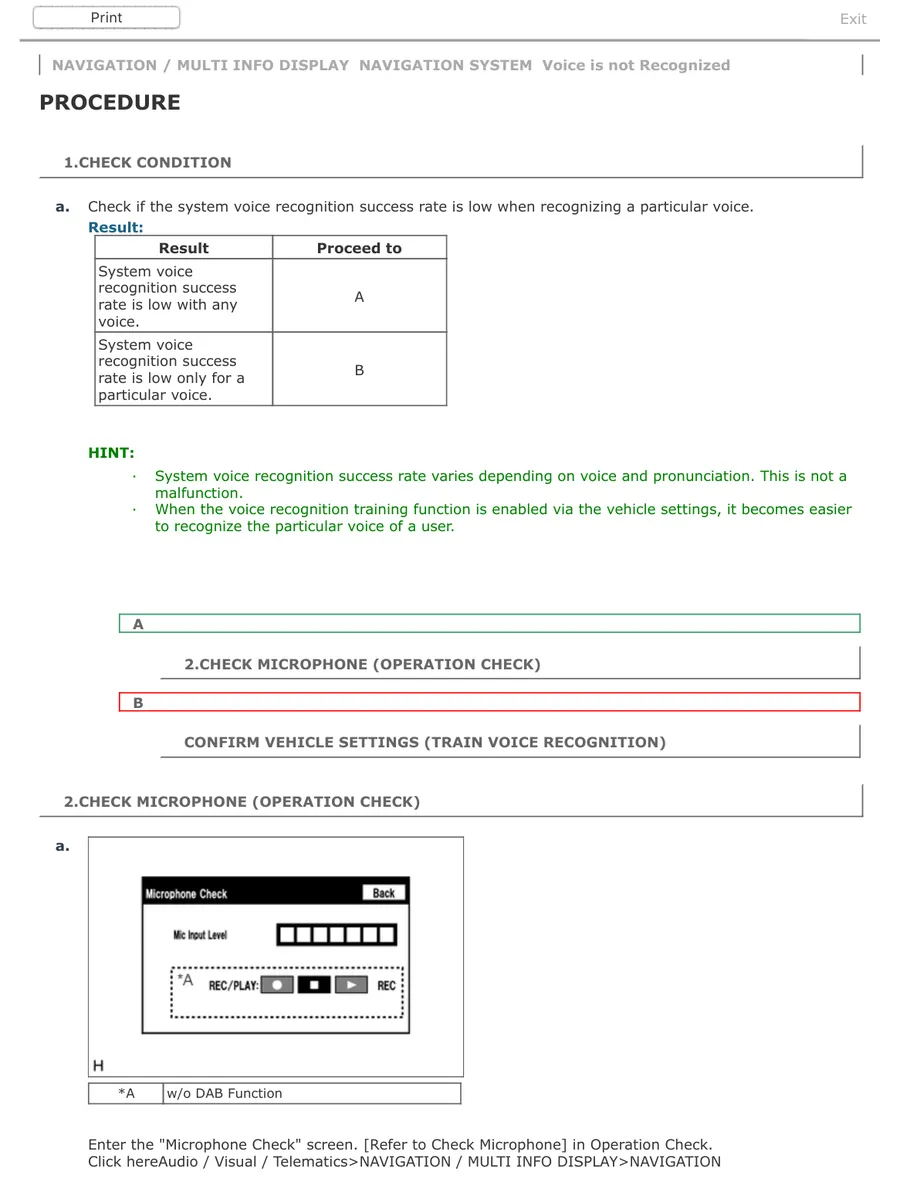
NAVIGATION / MULTI INFO DISPLAY NAVIGATION SYSTEM Voice is not Recognized PROCEDURE
1.CHECK CONDITION
a. Check if the system voice recognition success rate is low when recognizing a particular voice. Result: Result Proceed to System voice recognition success A rate is low with any voice. System voice recognition success B rate is low only for a particular voice.
HINT:
· System voice recognition success rate varies depending on voice and pronunciation. This is not a malfunction.
· When the voice recognition training function is enabled via the vehicle settings, it becomes easier to recognize the particular voice of a user.
A
2.CHECK MICROPHONE (OPERATION CHECK)
B
CONFIRM VEHICLE SETTINGS (TRAIN VOICE RECOGNITION)
2.CHECK MICROPHONE (OPERATION CHECK)
a.
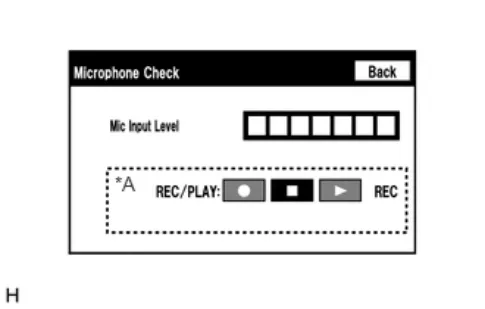
*A w/o DAB Function
Enter the "Microphone Check" screen. [Refer to Check Microphone] in Operation Check.
Parts & tools for this job For Toyota Hilux
- TOOLTorque wrenchSearch: 3/8 inch torque wrench
- TOOLSocket setSearch: socket set metric
- BOOKHaynes manualSearch: Haynes manual Toyota Hilux
As an Amazon Associate we earn from qualifying purchases.