
Installation
- Make
- Aston Martin
- Model
- DB9 Factory Workshop Manual
- Year
- Issue 2, 2005
- Section
- Front End › Installation
01 Body systemInstallation · page 1 of 2
- Loosen bolts (x2).
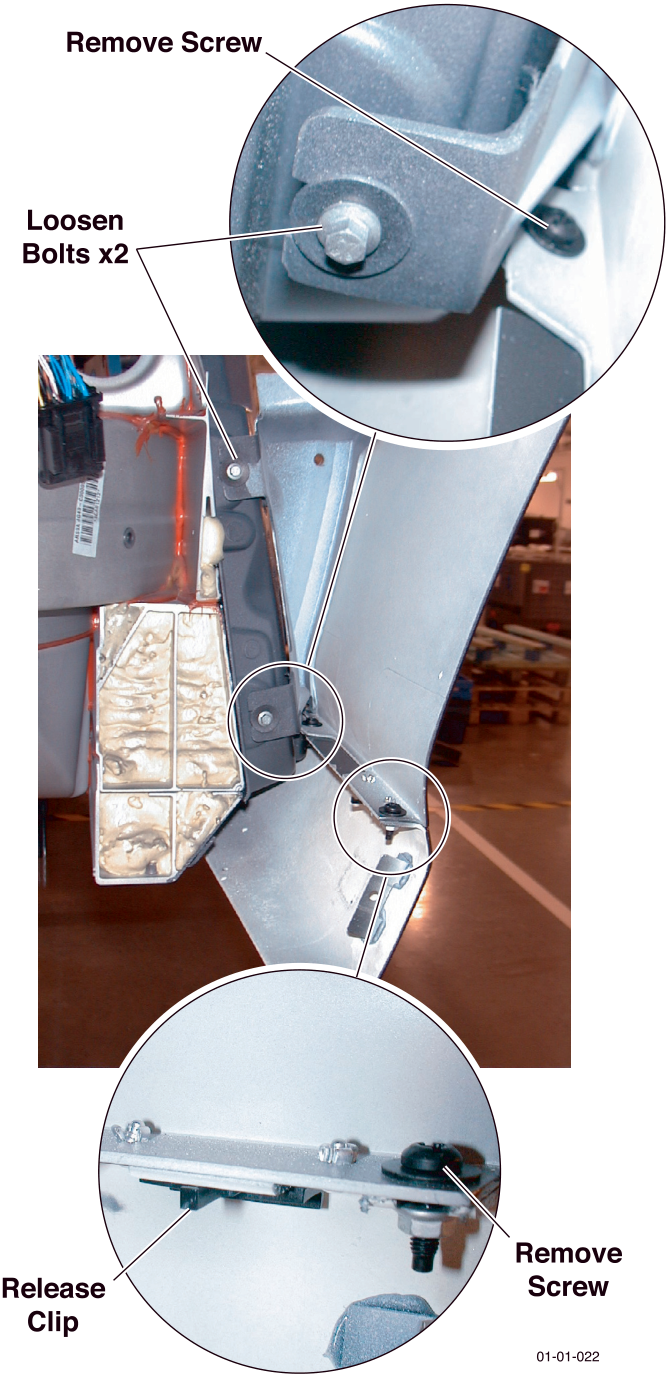
- Lift from the rear lower edge to disengage the wing from the two loosened bolts. Pull the wing from the body.
Installation
- Place the wing to the body.
- Locate:
- The wing top stud
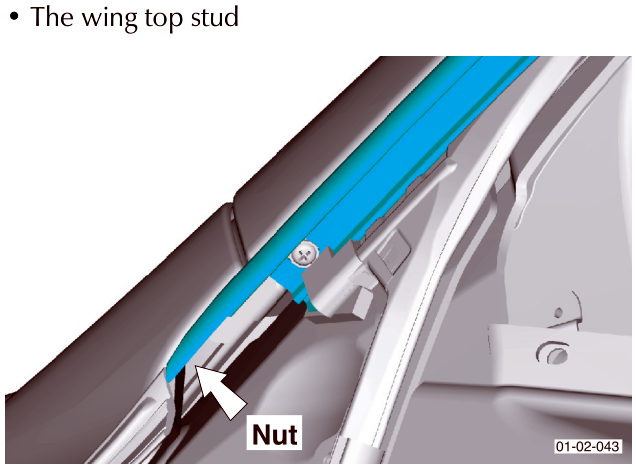
- The rear lower wing to the loosened bolts
- Install the wing lower edge clips and bolt.
- Connect the wing to the bumper.
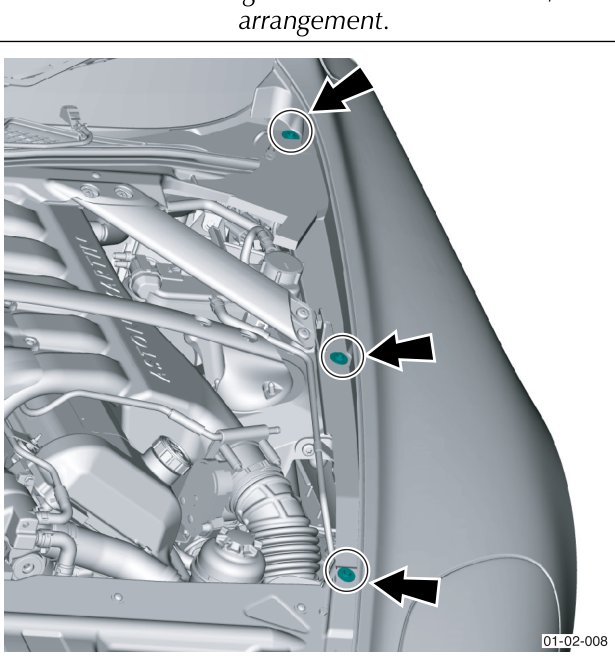
- Install bolts to the wing top edge. Do not tighten.
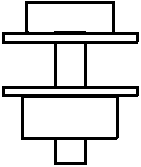
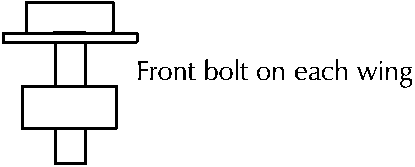
Front bolt on each wing
The two lower rear wing bolts have the same bolt / washer arrangement.
Parts & tools for this job For 2005 Aston Martin DB9
- TOOLTrim removal tool kitSearch: trim removal tool kit
- PARTTouch-up paintSearch: Aston Martin touch up paint
- PARTPanel clip assortmentSearch: Aston Martin panel clips assortment
Links open Amazon search results in a new tab. As an Amazon Associate I earn from qualifying purchases.