
Connecting <span class="tool">vehicle diagnostic tester</span>
- Make
- SEAT
- Model
- Alhambra
- Year
- 2010–2020
- Section
- Vehicle electrics › Connecting <span class="tool">vehicle diagnostic tester</span>
WiringConnecting <span class="tool">vehicle diagnostic tester</span>
Connecting <span class="tool">vehicle diagnostic tester</span>
Note
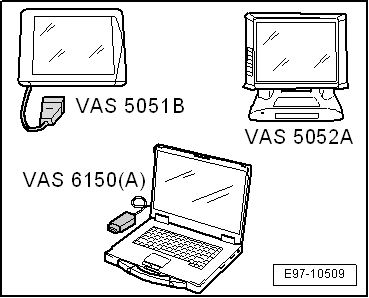
- Vehicle diagnosis tester
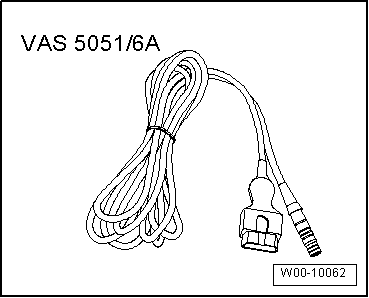
- Diagnosis cable VAS 5051/6A (5 m)
- Diagnosis cable VAS 5051/5A (3 m)
Note
- Only these cables are to be used for diagnosis, as they are the only ones fitted with CAN wiring and therefore allowing CAN diagnosis and/or CAN communication.
Apply handbrake.
In vehicles with automatic gearbox, set selector lever in position “P” or “N”.
Vehicles with manual gearbox, move gear lever to neutral position.
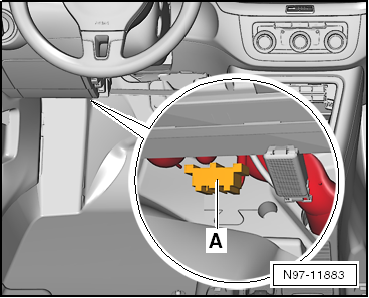
With the ignition switched off, connect the vehicle diagnostic tester to the diagnostic connector (A) of the vehicle using the diagnostics cable VAS 5051/6A.
Switch ignition on.
Switch off all electrical components.
Note
- All other vehicle diagnosis, testing and information systems or diagnosis and information systems in Service are connected similarly, in the order described above.
Parts & tools for this job For 2010 SEAT Alhambra
- TOOLOBD2 scannerSearch: OBD2 scanner
- TOOLDigital multimeterSearch: automotive digital multimeter
- TOOLBack-probe test leadsSearch: back probe test leads
As an Amazon Associate we earn from qualifying purchases.