
Removing and installing fuse holder in dash panel
- Make
- SEAT
- Model
- Alhambra
- Year
- 2010–2020
- Section
- Vehicle electrics › Removing and installing fuse holder in dash panel
WiringRemoving and installing fuse holder in dash panel
Removing and installing fuse holder in dash panel
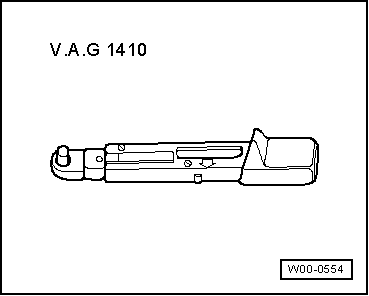
- Torque wrenches V.A.G 1410
Warning
To disconnect and reconnect the battery, the procedure described in the workshop manual should be strictly adhered to Chapter “Disconnecting and reconnecting battery”.
Disconnect battery Chapter “Disconnecting and reconnecting battery”
Remove trim in driver's footwell Trim; Removing and installing left trim on driver side.
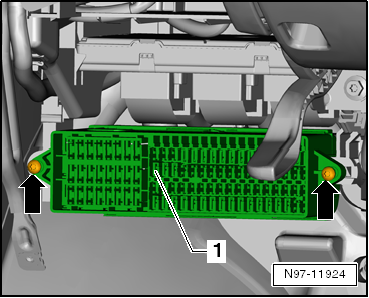
Undo bolts (arrows) and pull fuse holder (1) downwards off retainer.
Installation is carried out in the reverse sequence; note the following:
Tighten securing bolts to specified tightening torque of 4 Nm.
Parts & tools for this job For 2010 SEAT Alhambra
- TOOLDigital multimeterSearch: automotive digital multimeter
- PARTAssorted fuse kitSearch: car fuse assortment kit
- TOOLWire crimper and connector kitSearch: wire crimper connector kit
As an Amazon Associate we earn from qualifying purchases.